Aziz

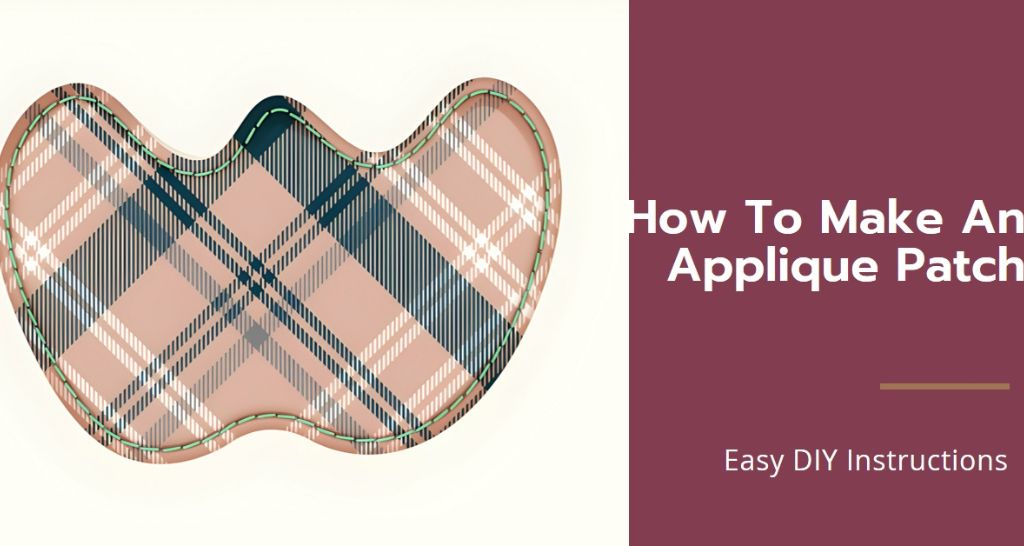
how to make an applique patch

Step-by-Step Guide – How To Make an Applique Patches?

Applique patches are a fantastic way to add a personal touch to your clothing, bags, or home decor. They can be simple or intricate, colorful or monochromatic, but they’re always a fun way to express your style. In this blog, Punch Digitizing will take a deep dive into the process of making an applique patch. Whether you’re a seasoned crafter or new to the world of DIY, this guide will walk you through each step with detailed instructions and helpful tips. How To Make an Applique Patches? Step 1: Preparing Your Applique Template Materials Needed Applique template Paper-cutting scissors Main fabric Fusible wadding Printing and Cutting the Template: Begin by printing your desired applique template. Using paper-cutting scissors, carefully cut out the pattern. This template will be the blueprint for your applique embroidery patch. Cutting the Fabric: Fold your main fabric in half to ensure symmetry. Pin the template onto the fabric and cut around it to get two identical oval shapes. These will form the front and back of your patch. Preparing the Backing: Next, pin the same pattern onto fusible wadding. After cutting it out, press it onto the reverse side of one of your fabric ovals. This wadding not only adds thickness but also stability to your patch. Step 2: Creating the Contrast Design Materials Needed Fusible webbing Contrast fabric Paper and pencil Ironing the Fusible Webbing: Iron the fusible webbing onto the back of your contrast fabric. This webbing will help to adhere your design to the main fabric. Cutting Out the Design: If your design includes letters or specific shapes, cut these out from the contrast fabric. Remember to work on the reverse side for accuracy and ease. Step 3: Assembling the Patch Materials Needed Iron Sewing machine with a zigzag stitch setting Attaching the Design: Peel off the paper backing from your cut-out design. Carefully position it on the front piece of your patch and press it with an iron. Sewing the Design: Using a zigzag stitch on your sewing machine, sew around your design. This not only secures it but also adds a decorative border. Step 4: Sewing the Patch Materials Needed Sewing machine with straight stitch setting Thread and needle Joining the Pieces: Place the two oval fabric pieces together, with their right sides facing each other. Pin them in place. Sewing the Edges: Using a straight stitch, sew around the edge, leaving a small opening for turning. Be sure to follow the seam allowance mentioned for a neat finish. Turning the Patch: Carefully turn the patch right-side out through the opening. This can be a bit tricky, so take your time to avoid tearing the seams. Step 5: Finishing Touches Closing the Opening: Use a slip stitch to close the opening. This stitch is almost invisible and will give your patch a professional look. Pressing the Patch: Ironing your patch at this stage helps to flatten and define its shape. Top Stitching: Finally, sew a line of topstitching close to the edge. This not only secures your patch further but also adds a neat, finished look. Step 6: Finalizing Your Applique Patch Your applique patch on jacket is now complete! You can sew it onto any fabric surface of your choice, like a denim jacket, canvas bag, or even a cushion cover. The possibilities are endless! Creative Ideas and Inspirations Fashion Forward with an Applique Patches: Jeans and Denim Jackets: Revamping your wardrobe can be as simple as updating a pair of old jeans or a denim jacket with some stylish patches. Whether it’s bringing a feminine touch with delicate floral designs or showcasing your love for rock with band logos, the possibilities are endless. This approach not only gives your denim pieces a new lease on life but also allows you to express your unique style and personality. Experimenting with various placements and sizes can create a one-of-a-kind piece that stands out. Custom T-Shirts: Opt for bold, graphic designs to achieve a modern, eye-catching look, or choose vintage-inspired patches to evoke a sense of nostalgia and retro charm. This simple customization can elevate your everyday casual wear into something truly special and personal. Accessory Makeover: Don’t limit patches to just clothing! Accessories like bags, hats, and scarves can also benefit from this creative touch. For example, a plain tote bag can be transformed into a trendy accessory with the strategic placement of a few vibrant patches. This is a great way to refresh items you already own, making them feel new and exciting again. Home Decor with a Twist: Cushion Covers and Throw Pillows: Consider decorating cushion covers and throw pillows with patches that feature geometric shapes for a contemporary interior, or cute animal motifs for a child’s room. This simple addition can make a significant impact, enhancing the coziness and visual appeal of any space. Table Linens and Curtains: This can be particularly effective for seasonal decorations, such as autumn leaves for fall or elegant snowflakes for winter, adding a festive touch to your home during special occasions. Unique Gift Ideas: Creating custom patches offers a personal touch to gifts that friends and family will treasure. An applique patch featuring a special date, a favorite quote, or the recipient’s initials can be an incredibly thoughtful gift for anniversaries or special milestones. Also, consider gifting items like baby bibs or blankets adorned with charming applique designs for baby showers; these are not only practical but also adorable. Interactive Projects for Kids: Interactive Projects for Kids: Encourage creativity in children by involving them in making their own patches. This can be an enjoyable and educational activity, where kids can design patches for their backpacks, pencil cases, or clothing. It’s a great way for them to express their creativity and personalize their belongings. Make sure to include safety tips and suggest age-appropriate designs to ensure a fun and safe crafting experience. Closing Thoughts Making an applique patch is a simple yet rewarding craft. It allows for immense creativity and personalization. Whether you’re making a patch for yourself or as a gift, the process

Step-by-Step Guide – How To Make an Applique Patches? Read More »

Embroidery to Patch

How to Turn Embroidery into a Patch 101?

Have you ever wondered how to transform your beautiful embroidery into versatile patches? In this blog post, I’ll guide you through the simple yet creative process of making your own embroidered patches. By the end, you’ll not only master the art of turning designs into durable patches but also add a personal touch to your wardrobe or accessories. Stick with me, and let’s unlock the potential of your embroidery skills together! Want to Turn Your Embroidery into a Patch? Transform your embroidery into a durable and stylish patch! Let us turn your embroidery design into a wearable patch. Get A Quote Now What You Need to Know Before Starting? Before diving into the specifics of how to turn embroidery into a patch, it’s important to understand what makes a good patch. The best patches are not only visually appealing but also durable and well-suited for their intended use, whether it be on a backpack, patch on jacket, or any other fabric item. Materials Needed Embroidery machine: Essential for creating detailed designs. Fabric: Choose a sturdy fabric as the base for your embroidery. Embroidery thread: Select high-quality threads in the colors you need. Iron-on adhesive: This will help attach your patch to garments. Scissors: Sharp scissors for precise cutting. Iron: For applying the patch to your fabric. How to Turn Embroidery into Patches? Step 1: Designing your Embroidery The first step in how to turn embroidery into a patch is designing your embroidery. Whether you sketch your own design or use a pre-made pattern, the key is to choose something that resonates with your personal style or the message you want to convey. Use software compatible with your embroidery machine to digitize your design, ensuring it’s ready for embroidery. Step 2: Embroidering Your Design Setting up your Machine: Load your design and prepare your embroidery machine according to its specifications. Choosing the right Fabric: Opt for a stable fabric that won’t stretch or distort during the embroidery process. Embroidering the Design: Start the embroidery, making sure to check the machine’s progress occasionally. Step 3: How to Make Iron on Patches with Embroidery Machine? Once your design is embroidered, the next step in how to turn embroidery into a patch is to cut it out. Leave a small margin around the design to ensure none of your embroidery is lost. This margin also provides space for sealing the edges. Step 4: Applying Iron-On Adhesive Preparing the Adhesive: Cut a piece of iron-on adhesive slightly smaller than your patch. Attaching the Adhesive: Place the adhesive on the back of the patch, then press with an iron on a medium-high setting. Be sure to follow the adhesive manufacturer’s instructions to avoid damaging the patch. Step 5: Attaching the Patch to a Garment or Accessory Now that you know how to turn embroidery into a patch and have your patch ready, it’s time to attach it to the garment or accessory of your choice: Position your Patch: Place it where you want it on the garment. Securing the Patch: Use an iron to heat-press the patch onto the fabric, ensuring it’s well attached. Care and Maintenance After learning how to turn embroidery into a patch and successfully making one, proper care will ensure its longevity. Wash the garment on a gentle cycle and avoid placing it in the dryer if possible. If the patch starts to peel, you can re-iron it to secure it again. Conclusion Congratulations! You’ve just learned how to turn embroidery into a patch. Whether you’re personalizing your gear or making gifts for friends, patches are a fantastic way to showcase your embroidery skills. I hope this guide inspires you to start your patch-making journey. If you have any questions or just want to show off your creations, feel free to leave a comment below. Happy crafting!

How to Turn Embroidery into a Patch 101? Read More »

How to Convert JPG to DST

How to Convert JPG to DST: A Step-by-Step Guide

Embroidery digitizing is an essential process for transforming images into embroidery patterns that can be used by embroidery machines. If you’re looking to convert a JPG image into a DST file, which is a format used by Tajima embroidery machines, you’re in the right place. This guide will walk you through the step-by-step process of converting a JPG image to a DST file, ensuring that your designs are ready for embroidery. What You Will Need A computer with internet access Embroidery digitizing software A JPG image to convert Step 1: Choose the Right Software The first step in converting a JPG to a PES file is to choose the appr opriate embroidery digitizing software. There are several options available, including popular choices like Wilcom, Brother PE-Design, and Hatch Embroidery software as jpg to dst converter. Each software has its own features and price points, so select the one that best fits your needs and budget. Step 2: Prepare Your Image Before converting your JPG image, it’s important to ensure that it is suitable for embroidery. This means the image should be clear and not overly detailed, as complex images can be difficult to digitize accurately. Use an image editing tool to simplify your image if necessary. Step 3: Import Your JPG Image Open your embroidery digitizing software. Locate the option to create a new project or file. Import your jpg to dst converter. This is usually done through an “Import” or “Open” menu option. Step 4: Convert to Embroidery Design Once your image is imported, it’s time to convert it into an embroidery pattern. This involves: Tracing the image manually or using an auto-trace feature if your software has one. This converts the image into stitches. Setting stitch types according to the different parts of the image. For example, you might use a satin stitch for borders and a fill stitch for larger colored areas. Adjusting stitch parameters such as density, angle, and stitch length to ensure the design is suitable for the fabric you will be using. Step 5: Save as DST After you’ve created the embroidery design: Go to the ‘File’ menu in your software. Select ‘Save As’ or ‘Export’. Choose ‘DST’ from the list of file formats. Name your file and choose a location to save it. Click ‘Save’ or ‘Export’. Similar blog: how to convert PNG images to vector graphics Step 6: Test Your DST File Before sending your DST file to an embroidery machine, it’s important to test it: Use an embroidery machine to stitch out the design on a piece of test fabric. Check the quality of the stitches, the alignment, and the overall look of the design. Make any necessary adjustments in your digitizing software and retest until you are satisfied with the result. Tips for Successful Conversion Simplify the Image: The simpler the image, the easier it will be to digitize and the better the final embroidery will look. Check Compatibility: Ensure your embroidery machine is compatible with DST files. Use High-Quality Images: Higher resolution images result in more accurate digitization. Conclusion Converting a JPG to a DST file is a detailed process that requires careful attention to detail and the right tools. By following these steps, you can ensure your designs are ready for embroidery and meet your quality standards. Whether you are a hobbyist or a professional, mastering this process can significantly enhance your embroidery projects. Contact Punch Digitizng for all your embroidery needs.

How to Convert JPG to DST: A Step-by-Step Guide Read More »

How to Digitize Images for Flawless Stitches

How to Digitize Images for Flawless Stitches?

Have you ever dreamt of turning a cherished photo or a quirky illustration into a stunning piece of embroidery? Well, thanks to the magic of digitizing, that dream can become a reality! Digitizing essentially translates an image into a set of instructions your embroidery machine can understand, allowing you to stitch out intricate designs with ease. Now, there are two main ways to tackle this process: using dedicated digitizing software or leveraging online tools. Both approaches have their pros and cons, so let’s break them down to help you choose the right fit for your project. Choosing Your Digitizing Weapon A. Software for the Control Freaks If you crave ultimate control and the highest quality results, then digitizing software is your champion. Popular options like Wilcom and Brother Embroidery Design Software offer a vast array of tools to meticulously translate your image into stitches. You can choose stitch types, define thread colors, and even fine-tune stitch density for different image areas. However, be prepared for a bit of a learning curve as these programs have a range of features to master. There are also costs involved in purchasing the software itself. B. Online Tools: The Quick and Easy Route: For those who crave simplicity and a speedy workflow, online digitizing tools are a fantastic option. These web-based platforms allow you to upload your image and get a basic embroidery digitizing  file in just a few clicks. They’re incredibly user-friendly and often offer free trial and basic plans. However, keep in mind that online tools might have limitations. Complex images with intricate details may not translate perfectly, and customization options can be fewer compared to software. Software Savvy: A Step-by-Step Guide to Digitizing Ready to unleash your inner embroidery whiz with software? Here’s a roadmap to guide you: Prepping Your Image: Dust off that favorite picture! Most software accepts standard formats like JPG and PNG. The higher the resolution, the better the detail translation. You can also do some basic editing to enhance contrast or remove backgrounds for a cleaner conversion. Software Showdown and Learning the Ropes: Don’t worry, you don’t have to go in cold! Many software options offer user-friendly interfaces and online tutorials to get you started. We’ll be using a popular software as an example (with screenshots included in the full version of this guide), but the core functionalities remain similar across most programs. Digitizing Breakdown: Buckle up for the fun part! Here’s a simplified breakdown of the digitizing process: Upload and Setting the Stage: Import your image and adjust its size to fit within your embroidery hoop limitations. Outlining and Underlay: Create a stable foundation for your design by outlining it with stitches like satin or bean stitch. Filling In the Blanks: Time to bring your image to life! Choose fill patterns, thread colors, and techniques to capture different areas (solid colors, gradients). Trimming the Excess: Refine your design by removing unwanted stitches and smoothing out any rough edges. Testing and Farewell: Most software allows you to test-stitch your design before committing. Once everything looks perfect, export the final design in a format compatible with your embroidery machine (e.g., DST, PES). Online Tools: A Simplified Approach to Digitizing If time is of the essence, online tools offer a great alternative: Choosing Your Tool: Explore the options available! Consider factors like pricing, features, and any free trials offered. Uploading and Basic Settings: Upload your image and adjust basic settings like size and color reduction (the tool will handle most of the conversion). Automatic Digitization with a Finesse Option: While online tools do the heavy lifting, you might need to make adjustments. Play around with stitch types, colors, and overall design to achieve the desired look. Downloading Your Embroidery File: Once you’re happy with the design, download it in a format compatible with your embroidery machine and get ready to stitch! Bonus Tips and Tricks for Flawless Stitching  Color Me Perfect: Thread color selection is key! Utilize online thread color charts to match your image colors as closely as possible. Embroidering Trends: The world of digitizing software is constantly evolving. Keep an eye out for new features like automatic color reduction tools and cloud-based software options. Test Before You Embellish: Always test your digitized design on a scrap fabric before stitching on your final project. This allows you to catch any errors and make adjustments before committing to the real deal. Winding Up Whether you choose the detailed control of software or the ease of online tools, digitizing opens a world of creative possibilities for your embroidery projects. With a little practice and the right approach, you can transform any image into a stunning piece of stitched art. So, grab your favorite picture, fire up your embroidery machine, and get ready to weave your digital dreams into beautiful embroidered masterpieces!

How to Digitize Images for Flawless Stitches? Read More »

what is sequin embroidery

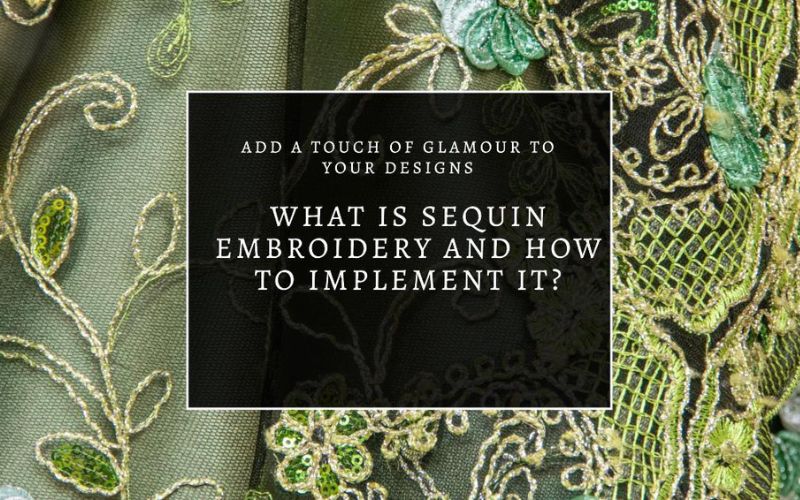
What is Sequin Embroidery and How to Implement It?

What is Sequin Embroidery? Sequin embroidery is a decorative technique that involves sewing sequins onto fabric to create vibrant, textured designs. This type of embroidery digitizing can add sparkle and depth to garments, accessories, and even home decor. Sequins come in various sizes, shapes, and colors, allowing for immense creativity and customization in design. How to Do Sequin Embroidery: A Step-by-Step Guide Materials Needed: Fabric (choose a sturdy type that can support the weight of the sequins) Sequins Embroidery needle Thread (preferably a strong thread that matches the color of your fabric or sequins) Embroidery hoop (optional, but helpful for keeping the fabric taut) Scissors Step 1: Preparing the Fabric Begin by placing your fabric into the embroidery hoop if you are using one. Ensure the fabric is taut and smooth. This stability is crucial for even and secure stitching. Step 2: Threading the Needle Cut a length of thread about 18 inches long. This length makes it manageable to work with and reduces tangling. Thread your needle and tie a knot at the end of the thread. Step 3: Planning Your Design Before starting to sew, it’s helpful to sketch your design lightly with a fabric pencil or chalk. This step acts as a guideline and helps ensure your final product looks as intended. Step 4: Sewing the Sequins Start from the back of the fabric, bringing the needle up through the fabric where you want your first sequin to go. Slide a sequin onto the needle and down the thread until it rests on the fabric. Then, push the needle back down through the fabric just next to where it came up, securing the sequin in place. For added durability, especially on garments that will be washed, sew through each sequin twice before moving to the next. Step 5: Continuing the Pattern Continue adding sequins by repeating the process along your sketched design. You can either place them closely together for a dense, textured effect or space them further apart for a subtler look. Step 6: Finishing Off Once you’ve finished adding all the sequins to your design, secure the thread on the back of the fabric with a few back stitches or knots. Trim any excess thread. Step 7: Caring for Sequin Embroidery Sequin-embellished fabrics should be handled with care. If washing is necessary, do so gently by hand and air dry. This care helps preserve the integrity and brightness of the sequins. I know it can be hard to understand Sequins embroidery in a blog don’t worry I am attaching a few YouTube links that can better help you understand how to implement sequins 1: https://www.youtube.com/watch?v=cfpBXNT_PHU 2: https://www.youtube.com/watch?v=gh0BAZwjqu4 Conclusion Sequin embroidery is a fun and creative way to enhance textiles with shimmering detail. Whether you’re embellishing a piece of clothing, creating a unique accessory, or adding flair to home decor, sequin embroidery offers endless possibilities in design. By following these steps, even beginners can achieve beautiful results. Remember, the key is patience and precision, allowing your creativity to shine as brightly as your sequins!

What is Sequin Embroidery and How to Implement It? Read More »

jpg to pes converter

The Ultimate Guide to Converting JPG Images to PES Format for Embroidery

Embroidery enthusiasts and professionals alike often find themselves needing to convert standard JPG images into the PES format—a specialized file type used primarily by Brother and certain other embroidery machines. This blog we will walk you through the steps you need to convert JPG files to PES, outline various methods to do so, and provide tips to ensure your embroidery projects turn out perfectly. Lets Us Convert Your Files Format For Digitizing Simplify your embroidery projects with punch digitizing. Just Contact Now Contact Us Understanding JPG and PES Formats JPG (JPEG) JPEG stands for Joint Photographic Experts Group, the team that developed this widely used digital image format. JPG files are ideal for storing photographs and complex images in a compressed form, which helps save on storage space but can reduce image quality due to compression. PES PES files are a proprietary format used by Brother and certain other brands of embroidery machines. These files contain embroidery design data including color, thread pattern, and stitch commands necessary for the machine to create the design on fabric. How to Convert JPG to PES Format? Software Solutions: Dedicated Embroidery Software: There are several embroidery design programs available that can convert JPG images to PES format. Some of the most popular include: Brother’s PE-Design: Tailored for Brother’s embroidery machines, this software not only converts images but also allows you to add and modify embroidery effects. Embird: Known for its robust features, Embird can convert various file formats to PES and offers tools for editing existing embroidery designs. SewArt: An affordable option that converts clipart and images to embroidery files, suitable for beginners. Free Online JPG to PES converter: If you’re looking for a quick conversion without the need for advanced editing, online converters can be a viable option. These websites typically allow you to upload a JPG and download a converted PES file. However, the quality and customization options can be limited compared to dedicated software. Step-by-Step Guide to Using Embroidery Software: Open the Software: Start by launching your chosen embroidery design program. Import the JPG File: Upload the JPG file that you want to convert into the software. Edit and Customize: Use the software’s tools to adjust the design, specify the colors, and make other modifications. This step is crucial for ensuring the machine accurately interprets the design. Convert and Save: Once you’re satisfied with the design, use the software’s conversion tool to create a PES file. Save the final version to an appropriate medium compatible with your embroidery machine. Why Convert JPG to PES? Converting a JPG to PES is necessary for anyone looking to turn a digital image into an embroidery design. This process allows you to: Customize clothing, bags, and other fabric-based items with personal or business logos. Replicate artwork or text in embroidered form, preserving the color and detail as much as possible. Create unique gifts or products for sale, such as customized apparel or home decor. Tips for a Successful Conversion Maintain Image Quality: Start with the highest quality JPG you can obtain to avoid issues during conversion. Understand Embroidery Limitations: Not all images convert well into stitches. Simple designs with clear, solid colors work best. Test Before Final Stitching: Always run a test stitch on a similar fabric to ensure the final product will meet your expectations. Conclusion The ability to convert and manipulate digital images into stitch-able embroidery designs is invaluable. With the right tools and techniques, you can bring almost any image to life with embroidery.

The Ultimate Guide to Converting JPG Images to PES Format for Embroidery Read More »

how to convert png to vector file

How to Convert PNG Images to Vector Graphics: A Simple Guide for Everyone

Do you need to upscale an image for a project but dread the pixilation that comes with enlarging a PNG file? Converting your PNG to a vector might just be the solution you need! Punch Digitizing’s guide will walk you through the process using free tools and online resources, making it perfect for beginners and those on a budget. Why Go Vector? Vector files are magic for anyone who needs to scale images without losing quality. Unlike PNGs, which can get blurry and pixelated when stretched, vectors maintain their crisp lines and curves no matter the size. This makes them ideal for everything from t-shirt designs to banner prints. Tools You’ll Need Step-by-Step Conversion Using Inkscape Step 1: Download and Install Inkscape Visit the Inkscape website, download the latest version for your operating system, and install it. Step 2: Open Your PNG Launch Inkscape, go to File > Open, and select your PNG file. Step 3: Trace Bitmap Step 4: Finalize and Save Alternative: Using Vectorizer.io for Quick Conversion If you prefer an even simpler method, Vectorizer.io is a great alternative: Tips for a Perfect Vectorization Conclusion Converting PNGs to vector graphics doesn’t have to be intimidating or expensive. With the right tools and a bit of patience, you can produce high-quality vectors suitable for any project. This guide aims to demystify the process and provide you with the knowledge to expand your graphic capabilities. Give it a try and see how vectorization can elevate your designs!

How to Convert PNG Images to Vector Graphics: A Simple Guide for Everyone Read More »

Types of Embroidery Digitizing

An Insight into the Various Types of Embroidery Digitizing

Imagine turning a simple drawing into stunning embroidered art. Welcome to embroidery digitizing, where technology dances with traditional craft. It’s an intriguing blend of art and precision, bringing designs to life through the language of stitches. In this exploration, Punch Digitizing delve into various types of embroidery digitizing, each with its unique charm. Whether you’re an embroidery enthusiast or just curious, get ready to uncover the beauty and intricacy of this modern twist on a timeless art. 9 Types of Embroidery Digitizing Vector-Based Embroidery Digitizing Vector-based embroidery digitizing is like the GPS of the embroidery world. It guides the needle with precise, scalable paths, ensuring sharp and clean designs every time. This method uses mathematical formulas to create designs that won’t lose quality when resized. It’s perfect for logos and geometric patterns that need a crisp, uniform look. The magic of vector digitizing is in its ability to produce consistently high-quality results, regardless of the design’s size. Applique Digitizing Applique embroidery digitizing is a beautiful blend of fabric and thread. It involves stitching smaller pieces of fabric onto a larger piece, creating a layered, textured effect. This method is not just visually appealing but also practical, as it saves on stitch count and production time. Applique is perfect for large designs like team logos on sports uniforms or decorative motifs on quilts, offering a creative and efficient way to add flair to any fabric. 3D Puff Digitizing 3D puff embroidery digitizing adds a whole new dimension to your fabric. It’s like giving your design a mini lift with foam underlay, making elements of the design literally stand out. This technique is a hit for caps, bags, and jackets, where a raised, tactile effect adds a bold statement. The key to 3D puff embroidery is the careful balance of stitch density and foam thickness, resulting in a striking, touchable texture. Cross-Stitch Digitizing This technique replicates the traditional cross-stitch embroidery using the best embroidery machines. Digitizing for cross-stitch involves creating a pattern that mimics the hand-stitched appearance. Monogramming and Lettering Digitizing Monogramming and lettering digitizing bring a personal touch to embroidery. It’s all about adding names, initials, or special messages to items, making them unique and personalized. This style is popular for gifts, uniforms, and bespoke items. The art of monogramming lies in choosing the right font and size to complement the item, ensuring that the text is not only legible but also aesthetically pleasing. Chenille Embroidery: Chenille embroidery digitizing focuses on creating a textured, fluffy appearance. It’s often used in letterman jackets, patches, and collegiate apparel. This style uses a combination of looped stitches and chenille yarn to achieve a unique, raised texture that stands out for its soft feel and classic aesthetic. Flat Embroidery Digitizing This is the most common form of embroidery digitizing. It involves converting flat images or designs into stitch files that can be used on an embroidery machine. Flat embroidery is versatile and can be applied to a wide range of products like T-shirts, hats, and towels, offering a smooth, classic embroidered look. Freestanding Lace Digitizing Freestanding lace digitizing is the epitome of elegance in embroidery. Unlike traditional embroidery that requires a fabric base, this method creates intricate lace designs that are self-supporting. It’s perfect for delicate items like bridal accessories, ornaments, or standalone lace creations. The key to mastering freestanding lace is understanding the interplay of thread tension and stabilizers, resulting in exquisite, airy designs that are both delicate and durable. Sequin Embroidery: Sequin embroidery digitizing involves creating designs that incorporate sequins. This style adds shimmer and sparkle to garments, making them popular in the fashion and entertainment industries. The digitized designs guide the placement of sequins, creating intricate patterns or enhancing parts of a design with eye-catching details. Advanced Techniques and Considerations Color Blending and Shading Embroidery digitizing isn’t just about translating images into stitches; it’s about bringing them to life. Advanced digitizing often involves color blending and shading techniques, which add depth and realism to the design. By carefully selecting thread colors and manipulating stitch patterns, digitizers can create gradients and shadows that make the embroidery pop and look almost lifelike. This technique is particularly effective for nature scenes, portraits, and any design where subtle color transitions are key. Stitch Types and Selection The secret to effective embroidery digitizing lies in understanding and selecting the right stitch types. Different stitches – like satin, fill, and running stitches – have unique properties and uses. Satin stitches are great for smooth, shiny areas, while fill stitches cover larger areas. Running stitches, on the other hand, are perfect for fine details and outlines. A skilled digitizer knows how to combine these stitches harmoniously to bring the best out of the design. Best Practices for Embroidery Digitizing Quality Artwork Selection The journey to a stunning embroidered piece begins with the artwork. The quality of the original image is paramount. High-resolution, clear images translate into more precise and defined embroidery designs. Blurry or low-quality images can result in poor stitch placement and an underwhelming final product. Investing time in selecting or creating quality artwork pays off in the embroidery’s detail and overall appeal. Fabric Types Not all fabrics are created equal, especially when it comes to embroidery. Different types of fabrics require different digitizing approaches. For example, denser fabrics like denim or canvas can handle heavier stitch densities without puckering. Lighter fabrics like silk or chiffon, however, require a gentler approach with less dense stitches. Understanding the fabric’s nature helps in adjusting the design accordingly for the best outcome. Testing and Adjustments The golden rule in embroidery digitizing is: Always test first. Running a test on a fabric similar to the final product is essential. This practice allows you to spot potential issues with the design, like thread tension, stitch density, or color choices. Testing provides an opportunity for adjustments, ensuring the final embroidery is flawless and meets the desired quality standards. Commonly Asked Questions What is the best software for beginners in embroidery digitizing? For beginners, software

An Insight into the Various Types of Embroidery Digitizing Read More »

how to convert png to dst

Converting PNG to DST: Embroidering Your Designs

In the embroidery industry, converting digital designs into formats that can be accurately stitched by machines is essential. One of the most common tasks in this process is transforming a PNG file into a DST file, the standard format used by most commercial embroidery machines. Whether you’re an experienced professional or a newcomer to the craft, understanding how to convert PNG to DST is vital for producing high-quality embroidered products. This blog provides an in-depth overview of what this conversion entails, why it is necessary, and the steps to execute it effectively. Understanding PNG Files A PNG (Portable Network Graphics) file is widely used for digital images due to its ability to maintain high-quality graphics and support transparent backgrounds. It’s a preferred format for logos, digital artwork, and marketing materials. However, while PNG is excellent for digital applications, it lacks the intricate details required by embroidery machines to replicate designs through stitches. What Is a DST File? A DST (Data Stitch Tajima) file is a format recognized by most embroidery machines. Unlike simple image files, a DST file contains detailed stitching instructions, including the types of stitches, thread colors, stitch paths, and density. These instructions are critical for translating a digital design into an embroidered pattern that machines can follow with precision. Why Convert PNG to DST? Converting a PNG file to DST is essential because embroidery machines cannot interpret flat image files. The conversion process translates the visual elements of a PNG into machine-readable commands, enabling the embroidery machine to stitch the design accurately. Without this conversion, the machine would be unable to execute the necessary stitching, resulting in unusable or poor-quality embroidery. The Conversion Process: PNG to DST Converting PNG to DST involves several steps and requires specialized embroidery digitizing software. The process transforms your flat image into an embroidery pattern, complete with stitch types, directions, and color specifications. Below is a professional guide to the steps involved: Select the Right Digitizing Software: Professional embroidery software like Wilcom, Hatch, or Brother PE-Design is necessary for converting PNG to DST. These platforms offer advanced features for precise control over stitch types and patterns. Upload the PNG File: Start by uploading your PNG file into the digitizing software. The program allows you to manipulate the image, resizing and positioning it to fit within the desired embroidery area. Digitize the Design: Using the software, trace the essential areas of the design, identifying sections for outlines, fills, and other key elements. The digitizer converts these areas into machine-readable paths that will direct the embroidery machine’s stitching. Assign Stitch Types: Different areas of the design may require various stitch types—such as satin stitches for borders or fill stitches for larger areas. The software enables you to apply the correct stitch types to ensure the best replication of the original image. Specify Thread Colors: Once the stitch types are defined, assign appropriate thread colors to the different sections of the design. Many digitizing programs offer color libraries from leading thread manufacturers to ensure an accurate match. Save as DST: After completing the digitization process, save the file in DST format. The resulting file is now ready for your embroidery machine to read and execute. Key Considerations for Professional Embroidery Digitizing While the conversion process may seem straightforward, producing professional-grade DST files requires attention to several critical factors: Design Complexity: Intricate designs with many details may not always translate well into embroidery. Simplifying complex designs without losing their essence can lead to better results in the final embroidered product. Stitch Density: Managing the stitch density is crucial. Overly dense stitching can cause fabric puckering, while insufficient density may lead to a less defined design. Finding the balance is key to achieving a smooth, high-quality finish. Testing the Design: Always test your DST file by running a sample stitch-out before beginning large production runs. This allows you to catch potential issues and make adjustments as needed. The Importance of Professional Digitizing Services While digitizing software offers powerful tools for converting PNG to DST, achieving optimal results often requires the expertise of a professional embroidery digitizer. At Punch Digitizing, we specialize in turning your designs into embroidery-ready files with precision and care. Our experienced team ensures that your designs are not only converted but optimized for flawless embroidery execution. By leveraging our professional digitizing services, you benefit from high-quality conversions that enhance the final product, ensuring that each stitch aligns perfectly with your vision. Conclusion Converting PNG to DST is a crucial step in the embroidery process, transforming flat digital images into intricate, machine-readable files. For businesses, brands, or hobbyists looking to bring their designs to life through embroidery, understanding and mastering this process is key to ensuring quality results. Contact Punch Digitizing, we pride ourselves on providing top-tier digitizing services that take the complexity out of embroidery file preparation. Whether you need a simple logo or a detailed design, our professional team is here to assist you in every step of the process. Contact us today to learn how we can help convert your PNG files into perfect DST files for flawless embroidery results.

Converting PNG to DST: Embroidering Your Designs Read More »

embroidery on holes

Easy DIY Embroidery Techniques for Concealing Holes

Embroidery isn’t just an art form; it’s a creative solution to extend the life of your favorite garments. Whether it’s a cherished pair of jeans or a beloved t-shirt, a little wear and tear don’t mean the end. This guide explores easy DIY embroidery techniques to conceal those pesky holes, turning flaws into stunning features. Get ready to breathe new life into your wardrobe with a touch of personalized flair. Materials Needed Before we dive into the stitches, let’s ensure you have everything you need. Gather basic embroidery materials including: Embroidery needles Embroidery thread in various colors An embroidery hoop Sharp scissors A fabric marker or pencil Select fabrics that complement the garment you’re mending, considering both color and weight for seamless integration. Preparation Steps Before Embroidery Start with a clean, dry garment. Smooth out the area around the hole and place it in your embroidery hoop, ensuring the fabric is taut but not overstretched. If the hole is particularly frayed, you might consider backing it with a small piece of fusible interfacing for added stability. Basic Embroidery Stitches A few basic stitches form the foundation of all embroidery work. Familiarize yourself with the running stitch, backstitch, and satin stitch. The running stitch is great for outlines, the backstitch provides solid lines, and the satin stitch fills areas with color. Techniques for Concealing Holes with Embroidery How to Embroider a Flower Over a Hole Materials and Setup: Choose embroidery thread in the colors you’d like for your flower. Consider using a variegated thread for a multicolored petal effect without needing to change threads. Position your fabric in the embroidery hoop so the hole is centered where you want the flower’s middle. Detailed Steps: Sketching: Use a fabric marker to lightly draw a flower outline around the hole, with the hole serving as the flower center. Satin Stitch for Petals: Begin filling in the petals with a satin stitch. This stitch involves long threads laid side by side to completely cover an area. Work from the outer edge of a petal towards the center, making sure to slightly overlap the edge of the hole to secure any frayed edges underneath the stitches. Center Embellishment: For the flower’s center (over the hole), you can either leave it as is, letting the garment’s color show through, or fill it with French knots or seed stitches for added texture. Pro Tips: Use a lighter or darker shade of thread for one or two petals to give the flower depth and interest. Consider adding small leaves at the base of the flower with a simple satin or split stitch for a more finished look. How to Embroider a Heart Over a Hole Materials and Setup: Select two shades of the same color for a gradient effect or contrasting colors for a bolder look. Secure the fabric in your hoop, ensuring the hole is positioned within what will be the lower half of the heart. Detailed Steps: Heart Outline: Lightly draw a heart around the hole. Start embroidery digitizing around this outline with a backstitch, which will define the heart’s shape and provide a strong edge. Filling with Satin Stitch: Fill in the heart using a satin stitch, working from the outside edges towards the center. Alternate colors or use a gradient technique for a dynamic effect. Blending the Hole: As you approach the hole, adjust your stitches to slightly overlap its edges, integrating it seamlessly into the design. Pro Tips: For a more intricate look, add a small, contrasting border around the heart with a running stitch or a delicate chain stitch. If the fabric around the hole is weak, consider backing it with a small piece of interfacing before you start stitching to provide additional support. How to Embroider a Leaf Over a Hole Materials and Setup: Choose green shades of embroidery thread, or go for autumnal colors for a seasonal twist. Place the fabric in the hoop, planning for the hole to be part of the leaf’s body. Detailed Steps: Leaf Outline: Draw the leaf shape around the hole. Use a backstitch to outline the leaf, creating a crisp, defined edge. Vein Details: Add the leaf’s central vein using a backstitch or a chain stitch for dimension. Filling: Fill in the leaf with a mix of satin and running stitches, creating texture by varying the direction of your stitches to mimic natural leaf patterns. Use the running stitch for finer details like additional veins. Pro Tips: Experiment with different shades of green for a more vibrant leaf. Add tiny embroidered flowers or berries around the leaf for a more decorative effect. Also read: how to digitize anime characters How to Embroider a Star Over a Hole Materials and Setup: Pick bold or metallic threads for a striking star effect. Center the hole where one of the star’s points will extend, securing the fabric in your hoop. Detailed Steps: Star Drawing: Lightly sketch a star around the hole. Use a backstitch to outline the star, ensuring sharp, clean points. Filling: Fill each section of the star with a satin stitch, paying close attention to the direction of your stitches for a uniform look. Let the stitches slightly overlap the hole at one point to incorporate it into the design seamlessly. Pro Tips: Consider adding a slight shadow effect by using a darker thread on one side of the star. For a festive look, add small French knots or seed stitches around the star in a contrasting color. Finishing Touches Secure the back of your embroidery by weaving the ends of your threads through the back stitches. Trim any excess thread carefully. To care for your embroidered garment, wash it gently by hand or on a delicate machine cycle. Troubleshooting Common Issues If your stitches are uneven, try adjusting the tension in your hoop. For fabric puckering, ensure the fabric isn’t too tight in the hoop and adjust your stitch tension. Should the hole enlarge, pause and reinforce the area around it with small,

Easy DIY Embroidery Techniques for Concealing Holes Read More »