Aziz

Why Your Sports Team Needs Custom Embroidery for Uniforms: A Comprehensive Guide

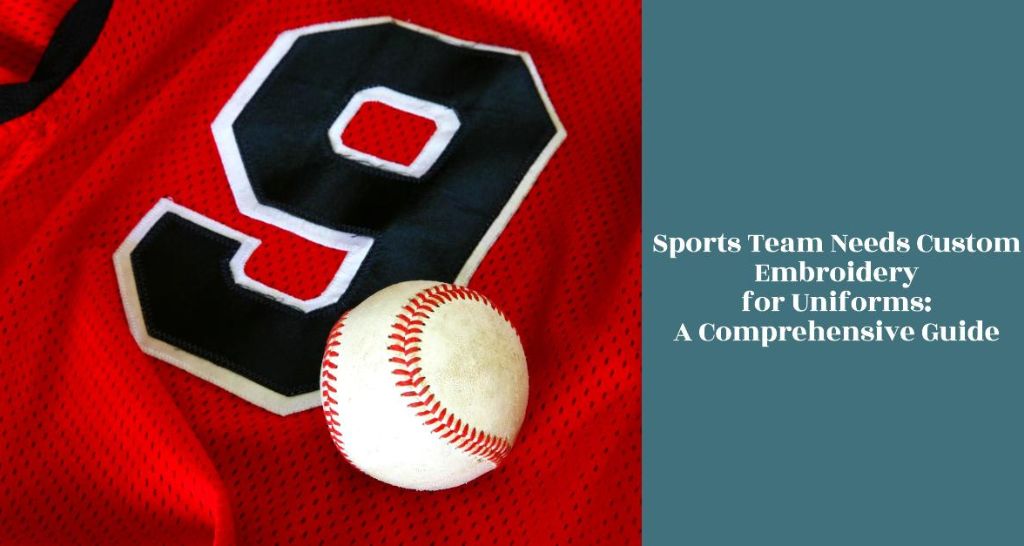
When it comes to team sports, the uniform is much more than just a piece of clothing. It’s a symbol of unity, pride, and identity. In the competitive world of sports, standing out and maintaining professionalism is key, not just in skill but also in appearance. This is where custom embroidery comes into play, offering a unique blend of durability, aesthetics, and team spirit. The Role of Custom Embroidered Uniforms in Team Spirit Unity and Equality Among Team Members Uniforms, adorned with custom embroidery, serve as a powerful symbol of unity, fostering a deep sense of belonging among individuals. Through their standardized appearance, they seamlessly blend individual differences, elevating the collective spirit above personal distinctions. Personalized embroidery designs, delicately etched on each uniform, add a unique touch while reinforcing the collective identity. Professionalism and Perception A well-designed uniform speaks volumes about a team’s professionalism and dedication. It sets the tone for how opponents and spectators perceive a team. Benefits of Custom Embroidery for Sports Uniforms Durability and Longevity Embroidered uniforms withstand the rigors of sports without fading or peeling, ensuring the team looks sharp season after season. Aesthetic Appeal The depth and texture of embroidery add a premium feel to uniforms, allowing for intricate designs that screen printing can’t match. Professional Image Embroidered logos and names on uniforms elevate a team’s image, enhancing players’ confidence and team morale. Versatility Embroidery can be applied to a wide range of materials, offering customization options for every sport and team member. How to Choose the Right Embroidery for Your Team Uniforms Understanding Fabric and Material The choice of fabric is crucial for any embroidery project, especially when considering techniques like 3D Puff Embroidery. Not all materials are suitable for achieving the desired effect of this intricate stitching style. Design Considerations Incorporating the right color palette and ensuring top-notch thread quality can elevate a design, making it stand out while preserving readability and visibility. Whether crafting intricate logos or vibrant illustrations, mastering the art of Vector Art allows designers to seamlessly blend aesthetics with utility, resulting in captivating and impactful visuals. Implementing Custom Embroidery From initial design to final production, the process involves close collaboration with the embroiderer, careful selection of materials, and meticulous planning to ensure the final product meets the team’s needs. Maintaining Your Embroidered Sports Uniforms Proper care extends the life of embroidered uniforms. Gentle washing, air drying, and correct storage keep the embroidery looking new. Learn About: Creative Embroidery Floss Organization: Blending Art with Function FAQs What is the price range for custom embroidery on sports uniforms? The price of custom embroidery on sports uniforms can vary widely, primarily influenced by the design’s complexity, the quantity of items being customized, and the type of fabric. Simple designs on a small number of uniforms will be less expensive than intricate, multi-colored logos on high-quality materials. How long does it typically take to complete custom embroidery orders? The completion time for custom embroidery orders depends on several factors, including the design’s complexity, the total number of items to be embroidered, and the embroiderer’s current workload. Generally, small orders with simple designs can be completed relatively quickly, within a few days to a week. Can existing uniforms undergo embroidery? Yes, existing uniforms can often be enhanced with custom embroidery, depending on the fabric type and the condition of the uniforms. Not all materials are suitable for embroidery, and worn or damaged garments may not yield the best results. It’s important to consult with a professional embroiderer who can assess the feasibility of adding embroidery to your existing uniforms. Is custom embroidery suitable for all sports? Custom embroidery is a versatile decoration method suitable for many sports, providing a high-quality, professional appearance to uniforms. However, for high-contact sports such as football or rugby ball, alternative customization techniques might be more appropriate to withstand the rigorous conditions of play. These alternatives could include sublimation or heat press, which can offer durability without the potential for embroidery to snag or tear. Conclusion Custom embroidery offers an unparalleled blend of durability, professionalism, and aesthetic appeal for sports uniforms. By choosing the right embroidery, teams can enhance their identity, unity, and presence on and off the field. With proper care, these uniforms can stand the test of time, making custom embroidery a worthy investment for any sports team.

Why Your Sports Team Needs Custom Embroidery for Uniforms: A Comprehensive Guide Read More »
Felt Patch vs Embroidered Patch

Felt Patch vs Embroidered Patch: Choosing the Best Option for Your Needs

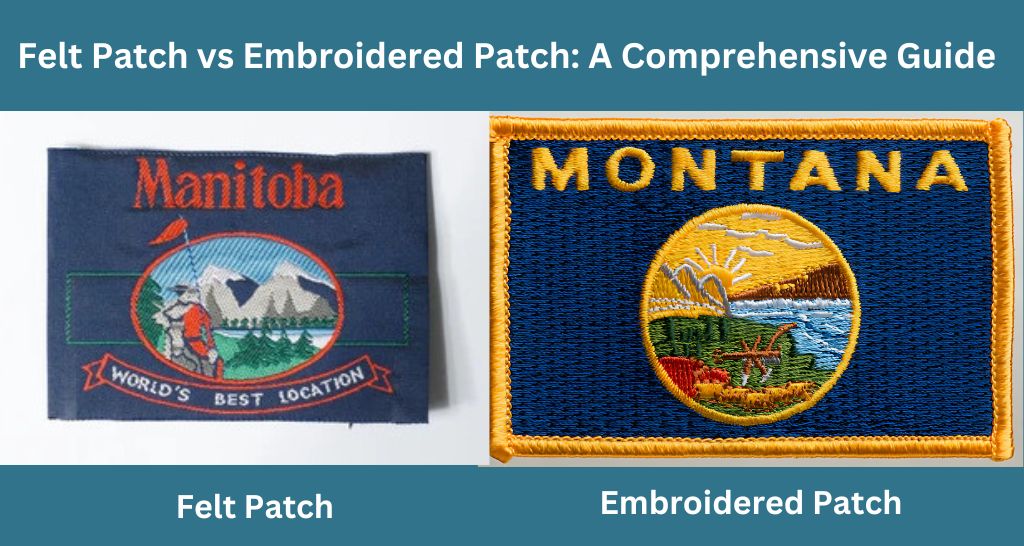
Patches have long been a staple in the realms of fashion and functionality, serving as a medium for personal expression, identification, and even mending wear and tear. The choice between felt and embroidered patches is crucial, depending on the intended use and aesthetic preference. This article aims to delve into the nuances of felt and embroidered patches, comparing their characteristics, benefits, and limitations, to assist readers in making an informed selection tailored to their specific needs.   Want High-Quality Custom Patches? Bring your vision to life with custom patches from Punch Digitizing – crafted with care, built to last, and designed to impress! Get A Free Quote Understanding Patches Patches have a straightforward beginning: they were first and foremost practical, a means to mend clothing and gear. Over time, their role shifted. What began as a necessity quickly intertwined with personal and group identities, becoming emblems of affiliation, milestones, and personal statements. Whether it’s the rugged patches on a military uniform, the vibrant badges sewn onto a scout’s sash, or the custom designs adorning an artist’s denim jacket, patches tell a story. Felt and embroidered patches each has its own set of advantages and is suited to different applications. Felt patches, with their soft texture and bold colors, offer a vintage appeal and a straightforward application. On the other hand, embroidered patches boast intricate designs with a texture that adds depth and sophistication to any item they adorn. Understanding these differences is key to choosing the right patch that not only meets your needs but also resonates with your style and values. What are Felt Patches? When you think of felt patches, imagine the cozy, fuzzy texture of felt fabric shaped into your design of choice. Made from pressed fibers, these patches exude a warm, inviting look that’s both simple and striking. Felt patches are characterized by their plush material, which makes colors pop and lends a handmade, crafty feel to any item they’re attached to. Common Uses and Applications Felt patches are often seen on casual wear, accessories like bags and hats, and even on decorative items. They’re a go-to for school logos, team mascots, or any design that benefits from a soft, raised texture and vibrant coloration. Their unique look and feel make them especially popular in settings that favor a more laid-back, artisanal aesthetic. Advantages of Felt Patches Soft Texture: Adds a tactile dimension that’s pleasant to the touch. Vibrant Colors: Felt’s material holds dyes well, resulting in rich, deep colors. Ease of Application: Can be easily sewn onto most fabrics, making them accessible for DIY projects. Cost-Effective: Generally, felt patches are more affordable, especially for larger, less detailed designs. Limitations of Felt Patches Durability: While durable, felt patches may not withstand harsh conditions or frequent washing as well as other materials. Detail Limitation: Highly intricate designs might not be as crisp due to the texture of the felt. What are Embroidered Patches? Embroidered patches are a work of art, where threads of various colors are intricately woven together to create detailed designs. These patches are known for their durability and the ability to capture complex logos, emblems, and artistic details with precision. The embroidery gives the design a slightly raised, textured look, adding depth and elegance to the patch. Common Uses and Applications Embroidered digitized patches are versatile and found on a wide range of items—from uniforms and professional attire to casual wear, bags, and caps embroidery digitizing. They’re a popular choice for organizations, military units, clubs, and teams looking to showcase their identity with clarity and sophistication. Thanks to their durability and high-quality appearance, embroidered patches are also favored for commemorative events and as collectibles. Advantages of Embroidered Patches High Detail: Capable of showcasing intricate designs with a clean, professional finish. Durability: Made to last, these patches stand up well to washing and heavy use. Texture and Depth: The embroidery adds a dimensional quality that enhances the visual appeal. Flexibility: They can be made with various backing options for easy application, including iron-on, sew-on, and Velcro. Limitations of Embroidered Patches Cost: Compared to felt patches, the detailed workmanship of embroidered patches can make them more expensive, especially for small orders. Complexity Limits: While they excel at detail, extremely small or overly complex designs may be challenging to execute perfectly. Comparing Felt and Embroidered Patches When deciding between felt and embroidered patches, understanding the key differences helps in choosing the option that best suits your needs. Here’s a breakdown of their main characteristics: Durability: Embroidered patches often offer superior durability, making them suitable for items frequently washed or exposed to the elements. Felt patches, while still resilient, are better suited for less rigorous use. Cost: Felt patches tend to be more budget-friendly, especially for larger or simpler designs. Embroidered patches, due to their intricate craftsmanship, can be more costly, particularly for small batches. Aesthetic Appeal: Felt patches provide a unique, soft texture and vibrant color saturation, ideal for a vintage or handmade look. Embroidered patches offer a polished, detailed appearance, adding a layer of sophistication. Application Methods: Both types can be sewn on, but embroidered patches also offer iron-on and Velcro backings for added versatility. Versatility: Embroidered patches are more versatile in terms of application, able to adorn a wider range of materials with a clean, durable finish. Felt patches offer a distinct style that may not be suitable for all contexts. Care Instructions: Embroidered patches are generally easier to care for, often able to withstand machine washing. Felt patches may require gentler handling to maintain their texture and color. I hope you’re enjoying reading our comparison blogs. I would also encourage you to read my guide on Flat Embroidery vs 3D Puff Embroidery  this article covers everything you need to know about these 2 embroidery types. Choosing the Right Patch for Your Needs Selecting between felt and embroidered patches comes down to several factors: Purpose: Consider what the patch is for—whether it’s for formal identification, personal expression, or artistic flair. This will guide your

Felt Patch vs Embroidered Patch: Choosing the Best Option for Your Needs Read More »

Embroidery File Formats

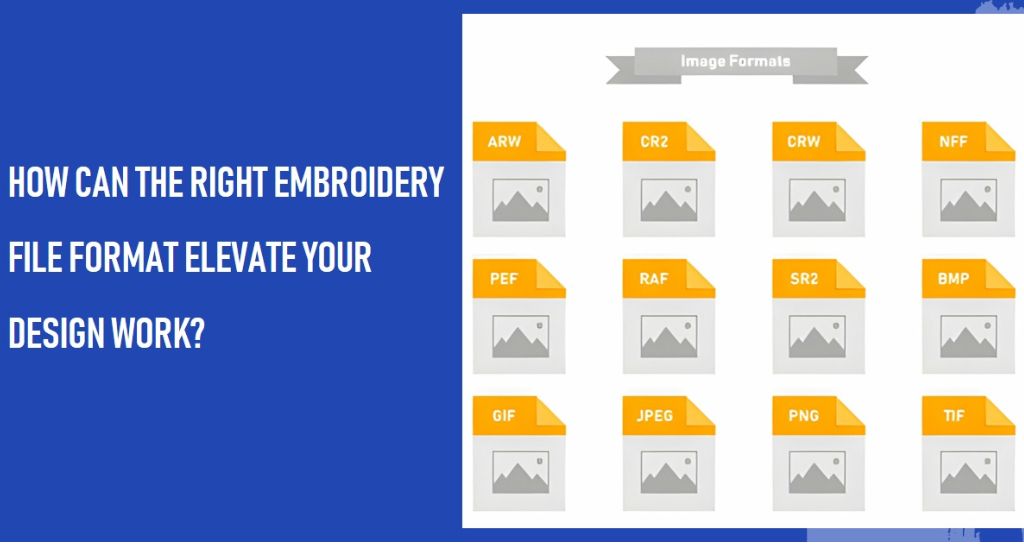
How Can the Right Embroidery File Format Elevate Your Design Work?

Embroidery, an age-old art, has transcended through time, evolving with technology. Today, it’s not just about the thread and needle but also about the digital aspect – the embroidery file format. This format is the blueprint of your design, determining how it translates from software to fabric. In this article, we delve into the world of embroidery file formats, explaining their significance and how choosing the right one can elevate your design work. Understanding Embroidery File Formats Embroidery file formats are essentially instructions for embroidery machines. They tell the machine how to move, where to place stitches, and what thread colors to use. Each format is tailored to specific machine types and software, making the choice of format a crucial step in the design process. The right format ensures compatibility and optimal results, while the wrong one can lead to design flaws or machine errors. The Impact of File Formats on Embroidery Quality The quality of your custom embroidery is directly influenced by the chosen file format. Some formats are better suited for intricate designs, while others handle color transitions more smoothly. For instance, formats like .DST and. PES are renowned for their versatility and compatibility with various machines, making them popular choices among professionals. Selecting the appropriate format can mean the difference between a vibrant, detailed design and a lackluster, inaccurate rendition. What Are the Key Differences in Embroidery Formats? Embroidery file formats differ in structure, capability, and machine compatibility. For example, Tajima’s *.DST format is widely used due to its simplicity and wide machine compatibility. In contrast, Wilcom’s. EMB format offers advanced features like stitch editing but is limited to Wilcom-compatible machines. Understanding these differences is essential for selecting the right format for your project. Formats like .PES are preferred for their color definition and are commonly used in home embroidery, while .DST is favored in commercial settings for its efficiency and broad machine support. Popular Embroidery File Formats and Their Uses Let’s explore some popular formats: Tajima (*.DST): Known for its universal compatibility, ideal for commercial embroidery. Melco (*.EXP): Offers good color definition, commonly used in Melco machines. Deco, Brother, Babylock (*.PES): Preferred for detailed color work in home embroidery. Wilcom (*.EMB): Advanced editing capabilities, best for intricate designs. Janome/Elna/Kenmore (*.JEF): Designed for Janome machines, good for small, detailed designs. Each format has its unique attributes, making them suitable for different types of embroidery work. Choosing the Right File Format for Your Project Selecting the right file format depends on your machine type, design complexity, and desired output quality. If you’re working with a commercial embroidery machine, formats like *.DST or *.EXP might be the best choice. For home embroidery projects, formats like *.PES or *.JEF offer more color and detail options. Always consider the design’s complexity and the limitations of your chosen format. For instance, if you’re creating a design with multiple color changes or intricate details, a format like *.PES or *.EMB would be more appropriate. Additionally, it’s crucial to consider software compatibility. Some formats require specific software for design creation and editing. Ensuring that your chosen format aligns with your software capabilities will save time and frustration. File type for embroidery Machine Formats Embroidery machines and software use a wide range of file formats, each with its unique characteristics and compatibility. Understanding these formats is crucial for ensuring your designs are compatible with your equipment and meet your project’s requirements. Here’s a comprehensive list of the most common machine embroidery file formats: Tajima (*.DST): A universal format used widely in the embroidery industry. Known for its wide compatibility with most embroidery machines. Melco (.CND and .EXP): While *.CND is Melco’s native format .EXP is more universally accepted and used for stitching. Deco, Brother, Babylock (*.PES): Preferred for home embroidery machines, known for its ability to store color information. Wilcom (*.EMB): A versatile format supporting advanced features, used in Wilcom software. It comes in various versions like V9, ESS, ESL, Plauen (.T10), and Saurer (.T15). Hiraoka DAT (.DAT) and VEP (.VEP): Specific to Hiraoka embroidery machines, known for their precision. Saurer SLC (*.SAS): Used primarily in Saurer embroidery machines. Time and Space MJD (*.MJD): A less common format used in specific machine types. Barudan (*.DSB): Predominantly used in Barudan machines, offering good color definition. ZSK (.DSZ and TC (.Z??)): German-based ZSK machines use these formats for high-quality designs. Toyota (*.10O): Specific to Toyota embroidery machines. Barudan (*.U??): Another format for Barudan machines, with a different specification. Pfaff (*.KSM, *.PCS, .PCD, .PCQ): Pfaff machines use these formats, each with unique features. Happy (*.TAP): Used in Happy brand embroidery machines. Tajima (.T01), Barudan (.T03), Zangs (.T04), ZSK (.T05): Various versions for different machine types and features. Compucon (*.XXX): A versatile format used in Compucon software. Artista Design (*.ART): Comes in multiple versions (V1.0 to V4.0), used in Bernina Artista embroidery machines. Explorations Projects (.ART42) and Templates (.AMT42): Specific to OESD Explorations software. Janome/Elna/Kenmore (.SEW and .JEF): Widely used in Janome, Elna, and Kenmore machines. Husqvarna/Viking (*.HUS): Specific to Husqvarna and Viking embroidery machines. Deco, Brother, Babylock (*.PEC): Similar to *.PES, used in Brother, Babylock, and Deco machines. Poem, Huskygram, Singer (*.CSD): Used in specific models of Singer embroidery machines. Pxf and Ofm: Less common formats used in specific machine types. Converting and Editing Embroidery Files Often, you might need to convert or edit embroidery files. This is where embroidery software comes into play. Software like Wilcom or Embrilliance allows you to convert between formats and make necessary edits to your designs. When converting files, it’s important to remember that not all features translate perfectly between formats. For instance, converting a complex .EMB file to a simpler *.DST format might result in loss of color information or stitch data. Always check the final output to ensure the quality of your design remains intact. Future of Embroidery File Types The future of embroidery file formats is likely to see more advanced features, better compatibility, and perhaps even standardization. As technology evolves, we can expect formats that offer greater

How Can the Right Embroidery File Format Elevate Your Design Work? Read More »

how to digitize photos for embroidery

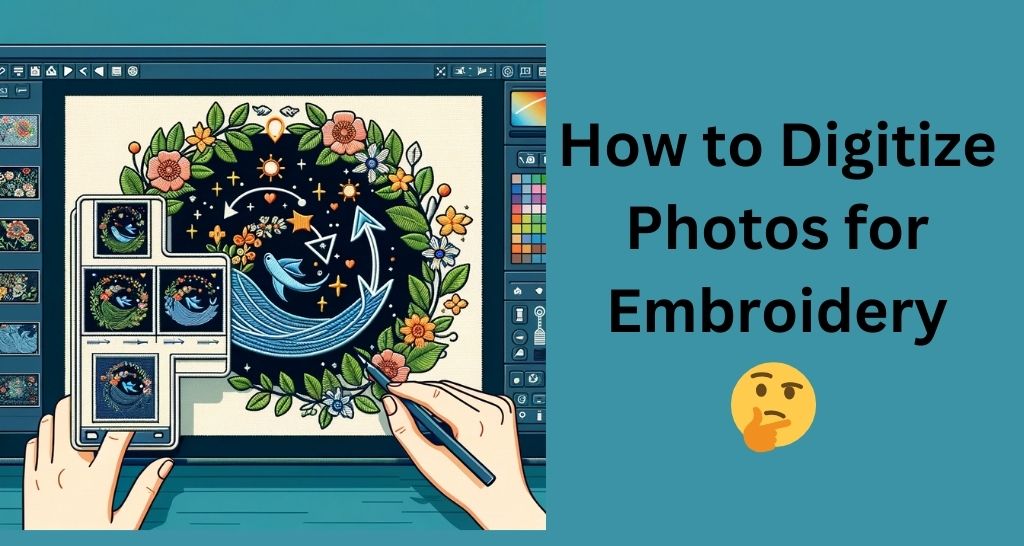
Mastering Photo Digitization for Breathtaking Embroidery Creations

Embroidery, an age-old art form, and when it meets modern technology, it becomes a fascinating process by which you can digitizing photos on clothes. This technique allows you to immortalize your favorite memories in a unique and personal way. In this blog, we’ll guide you through the process of transforming a simple photo into an embroidered masterpiece. this journey from pixel to stitch will open up a world of creative possibilities for you to capture moments. Lets get started. What is Photo Digitization for Embroidery? At its core, photo digitization for embroidery is the process of converting a photograph into a digital file that an embroidery machine can interpret as stitch patterns. Unlike traditional embroidery, which relies on manual transfer of designs, this method uses software to create a stitchable design directly from a photo. It’s a perfect blend of technology and craftsmanship. The key to successful photo embroidery lies in the selection of the right image. High-contrast, clear photos with defined subjects work best. The process isn’t just about converting a photo into stitches; it’s about reimagining the photo in a way that highlights its best features through textures and thread colors. Tools and Materials Needed for Photo Digitization and Embroidery Before embarking on your journey to transform a photo into an embroidered work of art, it’s essential to gather the right tools and materials. The right equipment not only makes the process smoother but also ensures a high-quality finished product. Essential Tools: Embroidery Machine: This is the cornerstone of your project. A good quality embroidery machine that can handle various fabric types and stitch patterns is crucial. Digitizing Software: Choose embroidery digitizing software specifically designed for photo embroidery. This software will help you convert your photo into an embroidery file that your machine can read. Scanner or Digital Camera: To get your photo into a digital format, use a scanner or a high-quality digital camera. Ensure the photo is clear and well-lit. Computer: A computer with enough processing power to run your digitizing software smoothly is necessary. Materials: Fabric: The choice of fabric depends on your project. Cotton, linen, and canvas are popular choices due to their durability and ease of handling. Embroidery Threads: Select high-quality threads in colors that match your photo. Consider the texture and sheen of the threads as they contribute significantly to the final look. Stabilizer: A stabilizer, used beneath the fabric, prevents puckering and helps maintain the fabric’s shape during embroidery. Embroidery Hoops: These are necessary to keep your fabric taut while embroidering. Additional Supplies: Scissors, needles, and transfer tools (like a USB drive to transfer your digitized file to the embroidery machine) will also be needed. Tips for Beginners: Start with simpler projects to understand your machine’s capabilities and the digitizing process. Experiment with different fabrics and threads on small samples to see how they behave. Don’t hesitate to invest in good-quality threads and fabrics, as they can significantly impact the outcome. Preparing Your Photo for Digitization The first step in digitizing your photo for embroidery is preparing the image correctly. This preparation is crucial for ensuring your embroidered piece accurately reflects the original photo. Selecting the Right Photo: Resolution and Clarity: Choose a photo with high resolution and clear details. The better the quality, the more details your embroidery can capture. Contrast and Color: Photos with good contrast (distinct light and dark areas) and vibrant colors tend to translate better into embroidery. Simplicity: If you’re a beginner, start with simpler images. Photos with too many details or complex backgrounds can be challenging to digitize. Editing the Photo: Cropping and Adjusting: Use photo editing software to crop the image to focus on the main subject. Adjust brightness and contrast if necessary. Simplifying Colors: Reduce the number of colors if the photo is very colorful. This makes the cap digitizing process more manageable. Resizing: Resize the photo to match the dimensions you want for your embroidered piece. Remember, larger images require more time and stitches. Learn: how to store embroidery floss effectively  Step-by-Step Guide to Digitizing Your Photo Once your photo is prepped, it’s time to digitize it. Using Digitizing Software: Import Your Photo: Open your applique digitizing software and import the edited photo. Trace the Image: Use the software’s tools to trace the key elements of your photo. This process converts your photo into a series of stitches. Select Stitch Types: Different areas of the photo will require different stitch types. For example, use satin stitches for smooth areas and fill stitches for larger, colored sections. Color Matching: Match the colors in the software with your embroidery threads. The software may suggest colors, but you can adjust these based on the threads you have. Adjusting Details: Pay attention to details like stitch direction and density. These adjustments can greatly affect the texture and overall look of the embroidery. Watch this guide to further understand this process: https://www.youtube.com/watch?v=2nV7HkNFGcA Preview and Adjust: Once you’ve digitized the design, preview it. Look for any areas that may need adjustment in stitch type, direction, or color. Make necessary edits to ensure the design is as close to your original photo as possible. Finalizing the Design: Save the design in a format compatible with your embroidery machine. Transfer the design to your machine, either via USB or other methods depending on your machine’s capabilities. This process might seem daunting at first, but with practice, you’ll find it easier to convert your photos into beautiful embroidery designs. Remember, patience and attention to detail are key. Embroidering Your Digitized Photo With your photo digitized, you’re ready to begin the embroidery process. This stage is where your image truly comes to life in thread and fabric. Setting Up Your Embroidery Machine: Load the Design: Transfer the digitized file to your embroidery machine. Prepare the Fabric: Hoop the fabric with a stabilizer to ensure it remains taut and stable during embroidery. Thread Selection: Load the machine with the first color of thread. Ensure the threads are of good quality to avoid

Mastering Photo Digitization for Breathtaking Embroidery Creations Read More »

how to store embroidery floss

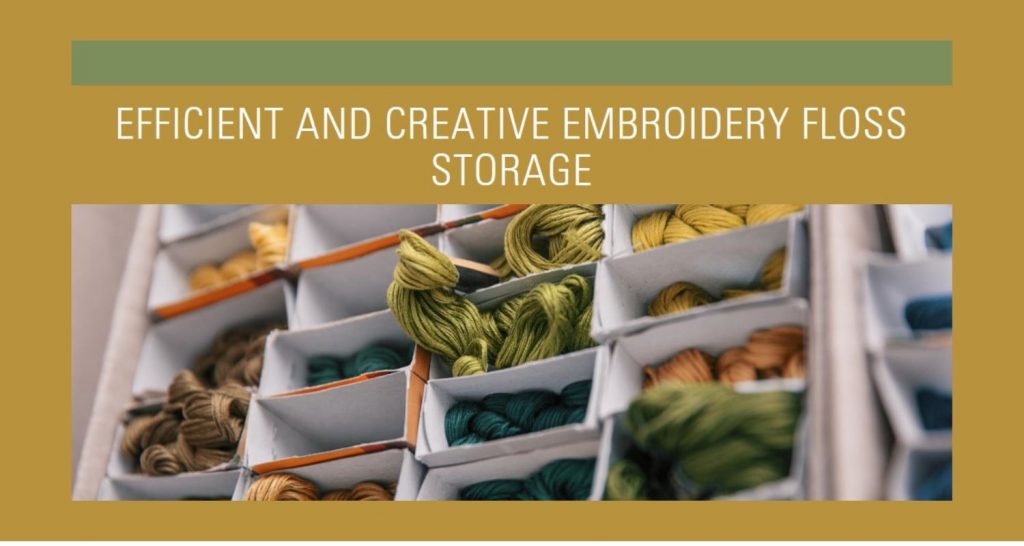
The Ultimate Guide to Storing Embroidery Floss Efficiently and Creatively

Discover the key to streamlined embroidery floss storage in this essential guide. Tailored for both novices and seasoned embroiderers, Punch digitizing delve into a variety of innovative storage methods. From economical DIY solutions to compact and efficient designs, find the perfect way to keep your floss organized, accessible, and in pristine condition, enhancing your crafting experience with every stitch. Understanding your Needs Before diving into the myriad of storage solutions for your embroidery floss, it’s vital to assess your specific needs. Your choice of storage method should not only be influenced by convenience but also by several other factors that define your embroidery practice. Let’s break down what you should consider: Volume of Floss Skeins: The size of your collection is a primary determinant. Do you have a growing mountain of floss skeins or just a handful for specific projects? Larger collections require more organized and spacious solutions, while smaller assortments can be managed with simpler methods. Available Storage Space: Evaluate the space where you plan to store your floss. Do you have ample room for larger storage units, or are you working with limited space that necessitates more compact solutions? Your workspace layout plays a significant role in determining the type of storage that will be both effective and feasible. Budget Constraints: Storage solutions range from DIY options to premium organizers. Your budget will guide whether you opt for a cost-effective approach, like repurposing household items, or invest in specialized storage systems designed for embroidery floss. Multiplicity of Projects: Consider the number of projects you work on concurrently. If you’re someone who juggles multiple projects, you’ll need a storage system that allows for easy access and segregation of floss pertinent to each project. Portability Needs: If your custom embroidery journey takes you beyond a single stationary spot – perhaps you enjoy stitching in different locations or carry projects while traveling – portability becomes a key factor. In such cases, lightweight and compact storage options that protect your floss and are easy to transport become indispensable. Access to Color Numbers vs. Color Selection by Sight: Finally, ponder over how you select your floss. Do you rely on specific color numbers for precise designs, or do you choose your threads based on visual appeal and color matching by eye? This aspect will influence whether you need a storage system that clearly displays color numbers or one that emphasizes color visibility. Floss Storage Solutions Choosing the right method to store and organize your embroidery floss can significantly impact your crafting experience. Here, we explore a variety of storage solutions, each with its own set of advantages and drawbacks, to help you find the perfect match for your needs. A. Drawers or Cabinets Storing full skeins in transparent or labeled drawers offers an organized and visually accessible approach. Pros: This method allows for easy organization and quick visibility of your threads, making selection hassle-free. Cons: Drawers and cabinets can be an expensive investment and may require considerable space in your crafting area. B. Bobbin Boxes Bobbin boxes involve winding floss onto cardboard or plastic bobbins and arranging them in transparent storage boxes. Pros: They offer easy visibility of colors and are generally inexpensive and space-efficient. Cons: Preparing the bobbins can be time-consuming, and there’s a risk of the floss getting creased over time. C. Project Cards in a Binder This method utilizes acrylic organizer bars in a binder, allowing for neat and compact storage. Pros and Cons: It’s highly portable and provides easy access to your floss, but it requires cutting the threads to loop them through the organizer bars. D. Hanging File Folder Method Similar to the binder method, this approach uses organizer bars in a file box or filing cabinet. Pros and Cons: It shares the organizational benefits of the binder method but is less portable, better suited for a stationary setup. E. Thread Drops on a Key Ring Thread drops involve using stiff cardstock tags to hold skeins, which can be organized on a key ring. Pros and Cons: Ideal for managing a smaller selection of colors for individual projects; however, it might become unwieldy with large collections. F. Plastic Bags A low-cost, DIY solution using snack-size plastic bags with index cards as labels. Pros and Cons: This method is highly flexible and cost-effective but may lack aesthetic appeal compared to other storage options. G. Bonus Idea: Clothespins Creatively wrap your floss around mini clothespins and display them on a pegboard. Note: While this method adds a decorative element to your space, be cautious of direct sunlight exposure, which can fade the colors of your floss. Each of these storage solutions offers unique benefits and potential limitations. Your choice should align with your personal needs, space, and crafting style, ensuring your embroidery floss is both well-organized and easily accessible. Learn about: 8 best embroidery digitizing machines in 2024 Organizing Your Floss After selecting your storage solution, the next step is organizing your floss in a way that enhances your cap embroidery experience. A well-organized floss collection not only saves time but also inspires creativity. Let’s explore some effective strategies for organizing your embroidery floss: Organizing by Color or Number: Color-Based Organization: Arrange your floss based on color shades. This method is visually appealing and helps in quickly identifying the perfect hue for your project. You can follow the spectrum order or group similar shades together. Number-Based Organization: If your projects require specific color numbers, organize your floss according to their assigned numbers. This approach ensures precision and is especially useful when following pattern instructions that specify color numbers. Tips for Adding New Colors to Your Collection: Space for Expansion: When organizing, leave some room for new additions. This foresight prevents the need for a complete reorganization every time you acquire new floss. Integration Strategy: Decide on a system for integrating new colors—whether it’s slotting them into the existing order or dedicating a specific section for new skeins. Consistency in this approach keeps your system efficient. Maintaining an Organized System:

The Ultimate Guide to Storing Embroidery Floss Efficiently and Creatively Read More »

Free Embroidery Digitizing Software

Unleash Your Embroidery Creativity: 14 Free Embroidery Digitizing Software Options

Ahoy there, fellow makers and stitch sorcerers! Hold onto your needles and thimbles, ’cause we’re about to embark on a yarn-fueled adventure through the enchanting world of free embroidery digitizing software. Ditch the hefty price tags and unleash your inner Michelangelo of the needlepoint with these hidden gems. Punch Digitizing will be unraveling their quirks, strengths, and secret sauce like master weavers, so you can find the perfect software to transform your digital dreams into stitchable masterpieces. Buckle up, grab your digital bobbins, and let’s get this creative thread party started! Our Top Free Embroidery Digitizing Software 1. Inkscape:  Imagine a treasure trove of digital brushes and threads, not just for embroidery, but for all your artistic whims. Inkscape, an open-source powerhouse, offers basic digitizing tools alongside its drawing capabilities. This user-friendly platform, brimming with helpful tutorials, shines for simple designs and empowers beginners to take their first needle-wielding steps. Pros: Free and open-source: Creativity without breaking the bank! Beginner-friendly: Intuitive interface and abundant resources smoothen the learning curve. Versatile beyond embroidery: A multi-talented tool for all your artistic endeavors. Cons: Limited embroidery features: Not a Swiss Army Knife for complex designs. Additional software/plugins might be needed: Advanced projects might require external help. Highlights: Inkscape is a gateway to boundless creativity, not just for custom embroidery, but for the entire spectrum of digital art. Its accessibility and ease of use make it a delightful companion for budding embroidery enthusiasts. 2. SewWhat Pro:  Picture an intelligent sidekick, whispering instructions and guiding your needle with precision. SewWhat Pro’s user-friendly interface is a wonderland of clarity, offering clear instructions and helpful tutorials. Its star feature – the auto-digitizing tool – takes the guesswork out of design conversion, making it a dream come true for beginners. Lettering tools and editing functions complete the package, allowing you to customize your creations with ease. Pros: Intuitive interface: Learn as you stitch with clear instructions and tutorials. Time-saving auto-digitizing: Turn designs into stitches with a click! Lettering and editing tools: Personalize your embroidery with unique flair. Cons: Limited features compared to paid software: Advanced functionalities might require an upgrade. Saving and exporting options might be restricted: Sharing your masterpieces might have limitations. Highlights: SewWhat Pro’s hand-holding approach makes it a haven for embroidery newbies, especially those intimidated by technical jargon. Its auto-digitizing feature is a game-changer, freeing you to focus on the pure joy of creating unique designs. 3. Wilcom DecoStudio Lite: Imagine peeking into the workshop of a master craftsman, sampling the tools and feeling the weight of history in your hands. Wilcom DecoStudio Lite offers a limited glimpse into the world of the industry-standard Wilcom software. While its feature set is petite, it provides basic digitizing, editing, and lettering tools, allowing you to test-drive the renowned Wilcom interface before committing to a paid subscription. For Wilcom veterans, it’s a familiar haven to dabble in basic digitizing without breaking the bank. Pros: Free trial of the industry leader: Experience the magic of Wilcom, even on a budget. Basic digitizing, editing, and lettering tools: Get your feet wet in the world of embroidery digitizing. Familiar interface for Wilcom users: A comfortable workspace for seasoned Wilcom aficionados. Cons: Very limited features: Don’t expect the full Wilcom symphony in this compact edition. Saving and exporting options might be restricted: Sharing your creations might require a paid upgrade. Steeper learning curve: Wilcom’s power comes with a slightly higher entry barrier. Highlights: Wilcom DecoStudio Lite is a golden opportunity to test-drive the renowned Wilcom software and understand why it reigns supreme in the embroidery world. For Wilcom users, it’s a convenient tool for quick digitizing tasks without delving into the full feature set. 4. Embird Free Embroidery Software:  Imagine a bustling marketplace overflowing with tools, each one waiting to be chosen and mastered. Embird Free Embroidery Software offers a diverse collection of basic digitizing tools, lettering, and editing functionalities. While not the crown jewel of the free software realm, it provides a decent platform for beginners and hobbyists to experiment and hone their skills. However, the free version comes with limitations compared to its paid counterparts, so keep your sights set on future upgrades for more advanced creations. Pros: Variety of basic digitizing tools: Explore different techniques and stitch types. Lettering and editing functionalities: Personalize your designs and make them your own. Decent option for beginners: A good starting point for embroidery newcomers. Cons: Limited features compared to paid versions: Advanced digitizing might require an upgrade. Interface can be less intuitive: Mastering the toolset might require some extra effort. Highlights: Embird Free Embroidery Software is a versatile platform for exploring the basics of embroidery digitizing, offering a stepping stone for future growth. Its variety of tools caters to different design styles and stitching techniques, keeping your creative juices flowing. 5. Stitch Era Basic Edition:  Picture a friendly guidebook, leading you through the enchanting world of embroidery digitizing step-by-step. Stitch Era Basic Edition lives up to its name, offering a user-friendly interface and helpful tutorials to demystify the digitizing process. Like Embird, it provides basic tools for digitizing, editing, and lettering, making it a solid choice for beginners. However, remember that the free version comes with feature limitations, so keep your eyes peeled for paid upgrades if your stitching ambitions skyrocket. Pros: User-friendly interface and tutorials: Learn with ease and confidence. Solid foundation for beginners: Basic digitizing, editing, and lettering at your fingertips. Decent option for simple to moderately complex designs: Get creative without feeling overwhelmed. Cons: Limited features compared to paid versions: Advanced functionalities might require an upgrade. Interface can be less intuitive: Mastering the toolset might require some extra effort. Highlights: Stitch Era Basic Edition is a friendly handhold for embroidery newbies, guiding them through the digitizing process with clarity and support. Its user-friendly interface and helpful tutorials make learning a breeze, even for those with no prior embroidery experience. 6. PE Design Lite:  Imagine a peek into the world of a renowned artist, sampling their brushes and techniques.

Unleash Your Embroidery Creativity: 14 Free Embroidery Digitizing Software Options Read More »

Best Commercial Embroidery Machine

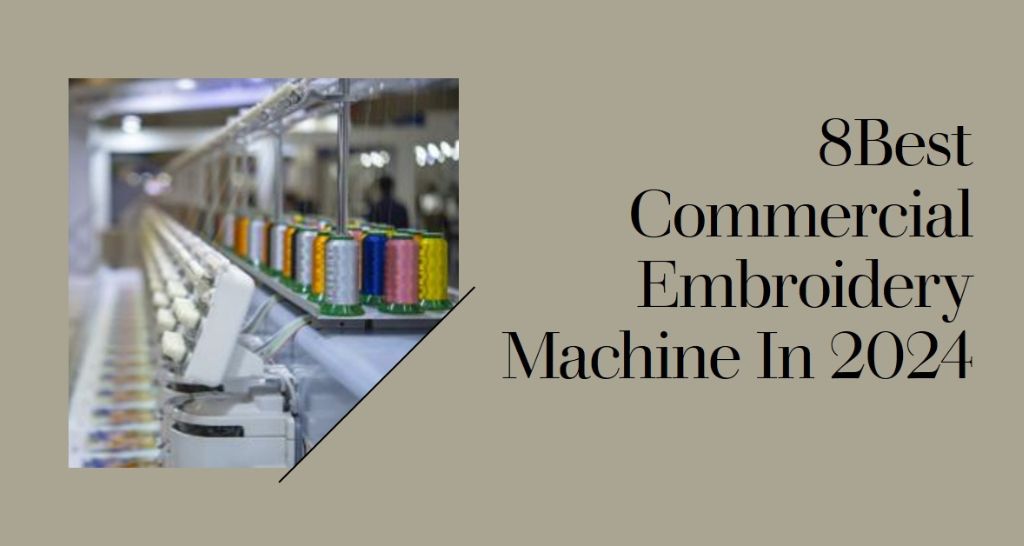
8 Best Commercial Embroidery Machine In 2024: In-Depth Guide and Reviews

In this guide, we explore the top 8 commercial embroidery machines of 2024, providing an in-depth analysis and reviews to aid your decision. Catering to various business sizes and budgets, our selection is based on efficiency, precision, ease of use, and customer feedback. We’ll highlight key features, pros, cons, and expert insights, ensuring you find the perfect machine to meet your business goals and creative needs in the ever-evolving world of commercial embroidery in 2024. Want Best Machinery For Your Digitizing Project? Experience the difference of professional-grade digitizing equipment & improve efficiency and accuracy with our top-of-the-line machinery. Get Free Quote Now What is a Commercial Embroidery Machines A commercial embroidery machine is a specialized device designed for high-volume, professional custom embroidery work. Unlike standard or home embroidery machines, commercial models are built for more rigorous, continuous operation and often feature advanced capabilities. Here are some key aspects: High Speed and Efficiency: These machines operate at higher speeds compared to home models, allowing for quicker completion of large orders. Multiple Needles: They often have multiple needles (sometimes over ten), each threaded with a different color. This setup enables quick color changes without manual rethreading, ideal for complex, multi-colored designs. Larger Embroidery Area: The embroidery area in commercial machines is usually larger, accommodating bigger designs and allowing work on various garment sizes and types. Robust Construction: Designed for continuous use, these machines are built with durability in mind to withstand the demands of a commercial environment. Advanced Features: They often come equipped with advanced features like touch-screen interfaces, detailed design editing software, and automatic thread trimming. Versatility: Commercial embroidery machines can handle a wide range of materials and garment types, from delicate fabrics to thick items like jackets and bags. Connectivity and Integration: Many modern machines offer options for network connectivity and integration with design software, streamlining the production process. Investment and ROI: They are a significant investment compared to home models but offer a higher return on investment (ROI) for businesses due to their efficiency and productivity. 2024’s Top 8 Commercial Embroidery Machines 1. Smartstitch S-1501 Commercial Embroidery Machine The Smartstitch S-1501 is a stellar option for entrepreneurs venturing into the embroidery business. This machine is equipped with 15 needles and offers a maximum speed of 1200 SPM. It features a 12″ touchscreen, Wi-Fi connectivity, and a large 14″x20″ embroidery area. Its standout attributes include laser positioning, automatic color change, and a comprehensive starter pack, making it a versatile choice for various materials. Pros Expansive embroidery area suitable for large projects. High needle count and speed significantly boost productivity. Advanced features like laser positioning ensure precision and quality. In-depth training and robust technical support enhance user experience. Cons The investment may be steep for small businesses or startups. Complexity of features might require a learning curve for beginners. Highlights Ideal for Starting an Embroidery Business 15 Needles & 1200 SPM Speed 12″ Touchscreen & Wi-Fi Capability Large 14″x20″ Embroidery Area Laser Positioning & Automatic Color Change Comprehensive Starter Pack Included 2. Janome MB-4Se Four-Needle Embroidery Machine The Janome MB-4Se is a compact yet powerful four-needle machine that excels in versatility. It works seamlessly with most embroidery formats, including professional ones. The machine is compatible with six industry-standard Tajima hoops and four Janome hoops, expanding creative possibilities. It features 50 built-in designs, 10 fonts for monogramming, and a maximum embroidery size of 9.4″ x 7.9″. Its USB and editing functions add to its user-friendly nature. Pros Supports a wide range of embroidery formats for versatility. Compact design makes it ideal for smaller workspaces. The inclusion of multiple hoops and designs fosters creativity. User-friendly interface with USB connectivity for easy design transfer. Cons Limited to four needles, which may reduce efficiency for larger projects. Smaller embroidery area compared to larger commercial machines. Highlights Four-Needle Professional Machine 50 Built-In Designs & 10 Monogramming Fonts Compatible with Industry-Standard Hoops Maximum Embroidery Size: 9.4″ x 7.9″ USB Connectivity & Editing Functions Ideal for Small Businesses and Personal Use 3. Baby Lock Array 6 Multi Needle Embroidery Machine The Baby Lock Array is a six-needle machine that combines power and innovation for an unparalleled embroidery experience. It features a high-definition touchscreen as the control center, allowing for quick design edits and immediate embroidery start. With 126 built-in designs and multiple features like a crosshair positioning laser, this machine is designed to turn creative visions into reality. Its ease of use makes it suitable for both beginners and experts. Pros The six-needle system enhances efficiency for multi-color projects. High-definition touchscreen offers intuitive control and design editing. Large embroidery field accommodates bigger projects. Features like the crosshair laser improve design placement accuracy. Cons Higher price point might be a barrier for some users. Six needles may still limit production speed for very high-volume businesses. Highlights Six-Needle Embroidery Machine Large Embroidery Field: 7-7/8″ x 11-3/4″ High-Definition Touchscreen Control 126 Built-In Designs & 50 Fonts Crosshair Positioning Laser for Precision Suitable for a Range of Skill Levels 4. Brother Persona PRS100 Single Needle Free Arm Embroidery Machine The Brother Persona PRS100 is a uniquely designed single needle embroidery machine, known for its free arm capability. This feature makes it exceptionally good for embroidering hard-to-reach areas. The machine boasts a 3.6″ x 6.0″ LCD display, 260,000 color capability, and a range of built-in languages. It’s designed for both simplicity and efficiency, with features like automatic thread cutting, advanced needle threading, and customizable embroidery settings. Pros Free arm capability for embroidering on difficult spots. Large, color-rich LCD display enhances user interaction. High versatility with numerous built-in designs and fonts. Automatic features streamline the embroidery process. Cons Single needle limits the speed for multi-color designs. May not be ideal for high-volume, large-scale productions. Highlights Single Needle with Free Arm Capability 3.6″ x 6.0″ LCD Display with 260,000 Colors 405 Built-In Embroidery Designs 20 Size-Adjustable Embroidery Lettering Fonts Advanced Automatic Features Ideal for Personal Use and Small Projects 5. Juki Tajima Sai 8 Needle Embroidery Machine The Juki Tajima Sai is an 8-needle

8 Best Commercial Embroidery Machine In 2024: In-Depth Guide and Reviews Read More »

Best Embroidery Scissors

10 Best Embroidery Scissors You Can Use in 2024

Embroidery enthusiasts know the importance of having the right tools, and among them, the best embroidery scissors stand out for their precision and ease of use. In this guide, we’ll explore ten top picks for 2024, each offering unique features that cater to various embroidery digitizing needs, from precision cutting tools to small sewing scissors. Whether you’re working on cross-stitch projects or tailoring embroidery, these scissors provide the perfect blend of performance and design. Our 10 Best Embroidery Scissors Pick In 2024 1. Westcott Titanium Bonded 4-Inch Curved Sewing Scissors for Embroidery The Westcott Titanium Bonded Scissors are a top choice for durability and sharpness. Their titanium and chromium nitride bonded blades resist corrosion and stay sharp longer. The ergonomic handles ensure comfort, reducing fatigue during prolonged use. Pros: Exceptional sharpness, corrosion-resistant, ergonomic design. Cons: May be too lightweight for heavy-duty materials. Highlights: Titanium Bonded, Comfortable Grip, Versatile Sizes. 2. Fiskars Premier 5-Inch Micro-Tip Crafting Scissors Fiskars is renowned for its high-quality craft scissors. These micro-tip scissors are ideal for intricate details, with precision-ground stainless steel blades and a comfortable double-loop handle. Pros: Superior precision, durable construction. Cons: Limited to fine detailing work. Highlights: Micro-Tip Blades, Ergonomic Design, Precision Cutting. 3. Gingher Stork Embroidery Scissors Gingher offers these beautifully crafted scissors with gold handles and forged steel blades. They are perfect for delicate embroidery work, coming with a protective leather sheath. Pros: Aesthetically pleasing, sharp and precise. Cons: Not suitable for cutting thicker materials. Highlights: Premium Forged Steel, Decorative Handles, Leather Sheath. 4. Guggenhein IX, Professional Tailor Shears Ideal for dressmaking, these 9-inch shears cut through various fabrics with ease. Their extended blade length and strong tips are perfect for notching seams and cutting straight lines. Pros: Long blades for efficient cutting, strong tips for notching. Cons: Heavier and larger, may not be ideal for small, detailed work. Highlights: Extended Blade Length, Metal Handles, Versatile Fabric Cutting. 5. PENTA ANGEL 4.1inch Sewing Scissors Yarn Thread Scissors Mini Small Snips These compact and highly efficient scissors are perfect for snipping threads and small sewing tasks. Their size makes them a handy addition to any sewing kit. Pros: Small and portable, sharp for precise cuts. Cons: Too small for cutting larger fabric pieces. Highlights: Compact Size, Sharp Blades, Versatile Material Cutting. 6. SINGER 00557 4-1/2-Inch ProSeries Detail Scissors with Nano Tip Known for ultra-sharpness, these scissors feature a nano tip for detailed work. They are designed for effortless cutting with a focus on comfort and precision. Pros: Ultra-sharp, comfortable design. Cons: Limited size for larger projects. Highlights: Nano Tip, Stainless Steel Blades, Ergonomic Design. 7. BIHRTC Stainless Steel Sharp Tip Classic Stork Scissors These stork scissors blend functionality with a vintage aesthetic. They are versatile, suitable for embroidery, crafting, and even hair trimming. Pros: Sharp and versatile, attractive design. Cons: May not be the best choice for heavy-duty fabric. Highlights: Sharp Blades, Vintage Design, Multi-Use. 8. Yueton Vintage European Plum Blossom Design Embroidery Scissors The Yueton vintage European copper-plated scissors feature a unique plum blossom design, ideal for detailed embroidery work and trimming threads. Pros: Aesthetically unique, sharp points for detail work. Cons: Decorative design may not suit all preferences. Highlights: Vintage European Style, Sharp Points, Ideal for Detail Work. 9. Tim Holtz 7-Inch Mini Titanium Snip Scissors These scissors come with a non-stick coating and micro-serrated edge, perfect for crafting applications. The Kushgrip handles ensure comfort during use. Pros: Non-stick coating, micro-serrated edge for precision. Cons: Larger size may be cumbersome for some users. Highlights: Non-Stick Coating, Micro Serrated Edge, Comfortable Grip. 10. X-ACTO Z-Series Precision Craft Knife, 2-Inch Blade Not a traditional scissor but a vital tool for precision cutting, the X-ACTO Z-Series knife offers sharp, durable blades for detailed work on various materials. Pros: Ultra-sharp, durable, ideal for precision tasks. Cons: Requires careful handling due to sharpness. Highlights: Zirconium-Nitride Coated Blades, Ideal for Medium-Density Materials, Precise Cuts. Buying Guide When Buying Embroidery Scissors 1. Blade Quality and Material Blade Sharpness: The primary function of embroidery scissors is precise cutting. Look for scissors with blades that are sharp enough to easily cut through various types of thread and fabric without fraying or snagging. Sharp blades provide cleaner cuts and more precise control, which is crucial for detailed embroidery work. Material Durability: Stainless steel is a popular choice due to its rust resistance and durability. Some scissors also feature titanium bonding for added strength. A good quality blade material ensures longevity and consistent performance. 2. Ergonomics and Comfort Handle Design: The comfort of the scissors is paramount, especially during long embroidery sessions. Ergonomically designed handles that fit well in your hand can significantly reduce hand fatigue and strain. Look for scissors with soft-grip handles or those designed to fit the natural curve of your hand. Size and Weight: The size and weight of the scissors should align with your hand size and comfort level. Lightweight scissors are usually easier to maneuver, which is essential for intricate work. However, some might prefer a bit of heft for added control, especially when cutting through thicker materials. 3. Types of Scissors for Different Embroidery Tasks Fine-Tip Scissors: These are ideal for precision cutting, especially in tight spaces or when working with delicate fabrics. They allow for meticulous control and are perfect for snipping tiny threads. Larger Shears: Larger shears are suitable for cutting out patterns or working with thicker materials. Their longer blades make it easier to make long, straight cuts. 4. Additional Features to Consider Serrated Edges: Scissors with serrated edges offer better grip on the fabric, preventing it from slipping as you cut. This feature can be particularly useful for cutting slippery or delicate fabrics. Decorative Handles: While functionality is key, the aesthetic appeal of scissors can also be a consideration. Decorative handles can add a personal touch and make your crafting tools more enjoyable to use. Thread Cutter Integration: Some scissors come with a built-in thread cutter, adding convenience and speeding up your workflow. 5. Safety and Storage Protective Sheaths:

10 Best Embroidery Scissors You Can Use in 2024 Read More »

anime embroidery designs

How To Create Your First Anime Embroidery Design

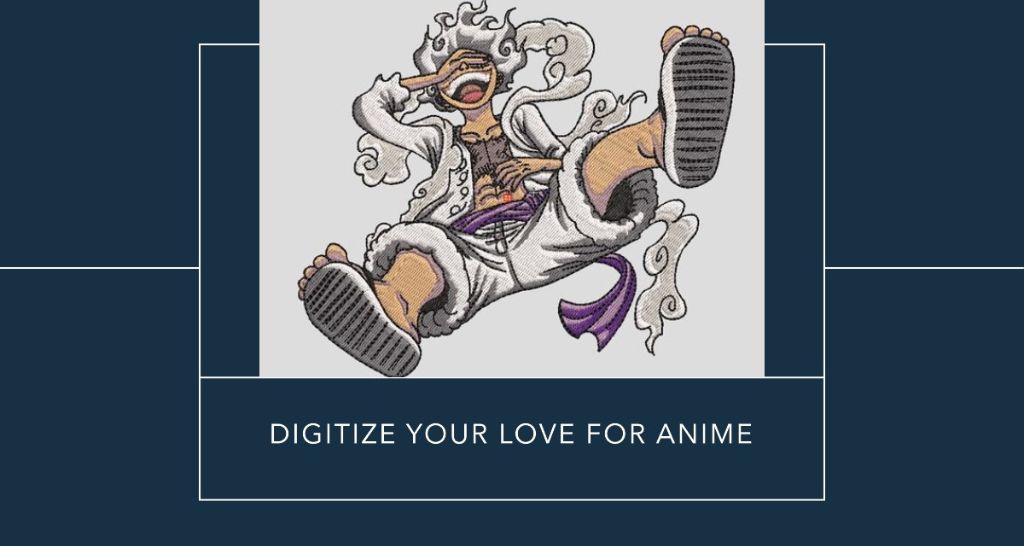
Ever thought about mixing your love for anime with embroidery? Well, you’re in the right place. I’m going to show you how to turn those awesome anime characters into amazing pieces of embroidery designs for your clothes and head wear. Don’t worry if you’re new to this or if you’ve got some stitches under your belt already – I’ve got something for everyone. We’re going to explore the quirky world where threads meet anime, bringing out the best of both worlds. So, grab whatever you’ve got – needles, threads, or just your curiosity, and let’s get into the nitty-gritty of crafting your anime favorites into something you can touch and feel! Let’s Get Stitching! Begin Your Anime Embroidery Journey! Turn your favorite anime characters into stunning embroidery designs with Punch Digitizing’s expert services! Get Free Quote Now Understanding Anime Embroidery Designs Anime embroidery is an artistic fusion that brings together the colorful and expressive world of Japanese animation with the age-old craft of needlework. Characterized by vibrant colors, bold lines, and intricate details, anime embroidery designs capture the essence of your favorite characters and scenes in thread form. This form of embroidery not only celebrates the beauty of anime art but also allows you to develop your skills in a fun and engaging way. Whether it’s a chibi version of a beloved character or a detailed scene, anime embroidery turns fabric into a canvas for storytelling and creativity. 1: Choosing the Right Materials To start your anime 3D puff embroidery journey, selecting the right materials is crucial. You’ll need embroidery needles, which come in various sizes. For beginners, a medium-sized needle is versatile for most designs. The fabric choice is equally important; a plain weave fabric like cotton or linen provides a good foundation. When it comes to thread, embroidery floss is available in a rainbow of colors. Choose colors that closely match your anime character. Lastly, an embroidery hoop will keep your fabric taut while you work, ensuring even stitches. These basic supplies set the stage for a successful embroidery anime project. 2: Selecting Your First Design Choosing your first anime embroidery design can be exciting yet overwhelming. Start with a simple design that has clear lines and minimal color changes. Popular choices for beginners include iconic symbols from anime, like the Konoha symbol from Naruto or the Straw Hat Pirates‘ flag from One Piece. If you prefer a character, opt for one with less complex features. Remember, the goal is to enjoy the process and learn, not to create a masterpiece on your first try. You can find patterns online or create your own by tracing an image onto tracing paper and then transferring it to your fabric. 3: Basic Embroidery Stitches for Anime Designs To bring anime designs to life, you need to master a few basic stitches. The backstitch is essential for outlining and defining the shapes of characters. For filling in larger areas, the satin stitch provides a smooth, solid fill. The split stitch, with its braided texture, is great for detailing and small features like eyes or mouths. Finally, the French knot can add dimension and detail, perfect for embellishing eyes or buttons. Practicing these stitches on scrap fabric before starting your project can build confidence and skill, making your anime embroidery journey more enjoyable and rewarding. 4: Finishing Your First Piece Once you’ve completed your embroidery, it’s important to finish it properly. Gently remove the fabric from the hoop and iron it on a low setting to remove any wrinkles or hoop marks. If you plan to frame your work, consider using acid-free backing paper to preserve the fabric and colors. For a more casual display, you can also sew your embroidery onto items like tote bags or cushions. Remember to secure any loose threads on the back of your work with knots or running stitches. Finishing your piece well ensures that your anime embroidery art stands the test of time. Learn how to effectively fix embroidery mistakes How To Digitize Anime Art for Embroidery Design Digitizing anime art for embroidery is a process that transforms your favorite anime images into stitchable patterns. It involves using software to convert the image into a format that an embroidery machine can read. This technology allows for precise and complex designs, making it possible to create detailed and accurate renditions of anime characters. Applique Digitization opens up a whole new realm of possibilities, enabling embroiderers to work with intricate designs that would be challenging to do by hand. Whether you’re looking to create patches, apparel, or decorative art, digitizing anime art can take your embroidery projects to the next level. 1: Choosing the Right Software Selecting the right software is crucial for digitizing anime art for embroidery. There are various software options available, ranging from basic to advanced. For beginners, free or low-cost software like Ink/Stitch or Embird can be a good starting point. These programs offer basic digitizing tools and are user-friendly. More advanced users might opt for professional software like Wilcom or Hatch, which offer a wider range of features and greater control over the digitizing process. Consider your skill level, the complexity of the designs you want to create, and your budget when choosing software. Many programs offer trial versions, allowing you to test them before committing. 2: Converting Anime Art to a Stitch Pattern Converting anime art into a stitch pattern is a step-by-step process. First, select a clear and high-resolution image of your anime character. Import this image into your chosen digitizing software. The software will then allow you to trace over the image with various stitch types, converting the image into a stitchable pattern. Pay attention to details like outlines, fill areas, and color changes. The software will also enable you to set the stitch length and density, which is crucial for achieving the right texture and detail. Take your time during this process to ensure accuracy and the best possible outcome. 3: Adjusting the Design for Embroidery After

How To Create Your First Anime Embroidery Design Read More »

Flat Embroidery vs 3D Puff Embroidery

Flat Embroidery vs 3D Puff Embroidery – A Professional’s Guide To Choosing The Right Technique

Flat embroidery vs 3D puff embroidery stand out for their unique visual and tactile qualities. This Punch Digitizing guide explores methodologies’ features, uses, and practical aspects, helping professionals make well-informed project decisions.  What is 3D Puff Embroidery? Definition and origin of 3D puff embroidery. Definition  3D puff embroidery is a specialized technique that creates a three-dimensional appearance on fabric. This effect is achieved by placing a foam layer under the embroidery stitching area and then stitching over with tight, dense stitches. As the stitches are applied, they compress and cover the foam, causing it to expand slightly and “puff up,” resulting in a raised, textured surface on the design. This technique is distinguished by its tactile, prominent look, which stands out in contrast to traditional flat embroidery. Origin of 3D Puff Embroidery This method became very popular in the late 20th century, especially in the sports and fashion industries.  The technique was further popularized in sports merchandise, especially in team logos on caps and jackets. 3D puff embroidery services has been used to add a unique texture and depth to garments, aligning with trends that favor tactile and visually striking elements. Materials and Specialized Equipment Needed for 3D puff Materials Foam:  The foam is the most essential component of 3D puff embroidery since it forms the foundation of the puffed design. Usually, polyurethane or another flexible, soft non-woven material is used to make this foam. The thickness can change based on the desired height of the puff effect; it typically ranges from 2 to 6 mm. Embroidery Thread: High-quality embroidery threads are used to stitch over the foam. These can be standard embroidery threads. Fabric: Sturdy fabrics are preferred for 3D puff embroidery to support the weight and volume of the foam and stitches.  Specialized Equipment Embroidery Machine:  A high-quality embroidery machine capable of handling the thickness of the foam and fabric is essential. Machines with adjustable presser foot height are particularly beneficial for 3D puff embroidery. Embroidery Hoops or Frames: These hold the fabric and foam in place during embroidery.  Scissors or Cutting Tools: Sharp scissors or cutting tools are needed to trim away the excess foam from around the embroidered design after the stitching is complete. How 3D puff embroidery Stands Out in Modern Fashion and Branding? 3D puff embroidery is popular in modern fashion and branding because it makes designs look cool and stand out. This embroidery has raised stitches, so the design looks like it’s popping out from the fabric. It’s like 3D effects in movies, but for clothes and accessories. This makes it great for things like logos on hats or jackets, where you want the design to catch people’s eye. Brands like 3D puff embroidery because it gives their products a unique and stylish look that gets noticed. What Is Flat Embroidery? Definition and history of flat embroidery. Definition  Flat embroidery is a technique of decorating fabric using needle and thread to create designs that lie flush with the fabric’s surface. Unlike 3D embroidery, which uses foam to create a raised effect, flat embroidery involves stitching directly onto the material without additional layers, resulting in a smooth, matte appearance. History of Flat Embroidery The earliest examples of flat embroidery newfound in China and the Middle East. In China, this vector art dates back to at least the Shang Dynasty (1600–1046 BC). The Chinese used silk thread to create intricate designs, often featuring floral and nature-inspired themes. Meanwhile, in the Middle East, embroidery was used to decorate various items, from household goods to clothing.  Common Materials and Tools Used in Flat Embroidery Materials Threads:  Cotton Silk Rayon Polyester Metallic Thread Fabrics Cotton Linen Silk Canvas and Denim Tools Embroidery Hoops:  Hoops are essential for keeping the fabric taut while custom embroidering. They come in various sizes and materials, like wood or plastic. Embroidery Needles: The needle choice depends on the fabric and thread type. Embroidery needles have a longer eye than regular sewing needles, making them easier to thread with embroidery floss. Scissors:  A good pair of sharp scissors is crucial for cutting threads and trimming fabric. Small, sharp embroidery scissors are best for precision cutting. Thimbles: Used to protect the fingers when pushing the needle through the tough fabric. Transfer Tools: Include pencils, pens, and transfer papers used to transfer the design onto the fabric before stitching begins. Applications and Popular Uses in Fashion and Design.  Clothing: On clothes like shirts, dresses, and jackets, flat embroidery is used to add pretty patterns, logos, or even unique details like someone’s name. Accessories:  Things like hats, scarves, and bags often have flat embroidery to make them look more stylish or show off a brand’s logo. Home Decor:  You can find flat embroidery on items in the house, too, like cushion covers, bed linens, or curtains. It adds a nice, decorative touch. Corporate and Team Logos:  Companies and sports teams use flat embroidery on their uniforms and merchandise.  Art and Craft:  Some people use flat embroidery as a form of art, creating excellent pictures or designs just using thread on fabric. Comparative Analysis A comparative analysis of flat embroidery and 3D puff embroidery reveals distinct differences in aesthetic, durability, and suitability for various applications, each having its unique advantages and limitations Aesthetic differences: Texture, Visual Impact, and Style Aesthetic Differences Flat Embroidery: Offers a classic, smooth, and elegant appearance. It’s excellent for detailed and intricate designs, allowing for precision and subtlety in artwork. 3D Puff Embroidery:  Provides a bold, raised, and tactile effect. This style stands out visually and is best suited for simpler, larger designs with a desired three-dimensional impact. Texture Flat Embroidery:  To the touch, this type feels smooth. The stitching doesn’t stand out because it is flat against the fabric. It’s like a picture drawn on the fabric with threads. 3D Puff Embroidery: This kind has a raised texture. Because the foam under the stitching pops out from the fabric, creating a bumpy, three-dimensional feel. It’s more like a 3D sticker on the

Flat Embroidery vs 3D Puff Embroidery – A Professional’s Guide To Choosing The Right Technique Read More »